What You Sell and What You Produce

Who it is for

Experts with a Teachable Outcome

For coaches, consultants, educators, and specialists who can help a defined audience reach a specific result through structured instruction.

What you start with

A Curriculum and Verified Source Material

Bring your framework, lesson outline, slides, examples, exercises, and the boundaries of what your experience can honestly support.

What you get

A Reusable Knowledge Video Library

Produce public discovery clips, paid course modules, onboarding lessons, and recurring member updates from one controlled content system.

How Video Supports a Knowledge Business

Knowledge monetisation works when free content attracts the right people, paid content solves a larger problem, and every lesson points towards a clear next step. Video is the delivery system, not the offer itself.

Package expertise around a result people will pay to reach

A collection of tips rarely feels like a course because learners can't see the starting point, the sequence, or the finish line. Before producing video, define the audience, the costly problem, and the measurable change your programme is designed to support.

Turn that promise into modules, lessons, exercises, and checkpoints, then use one approved outline as the source for every script. This keeps the course focused on a customer outcome instead of becoming a large library of unrelated recordings.

Use public videos to attract qualified private-domain leads

Short educational videos can demonstrate how you think without giving every paid lesson away. Each public clip should solve one narrow problem, establish a credible point of view, and direct interested viewers towards a relevant next step.

That next step might be an email lesson, webinar, consultation, private community, or course page. Measure qualified sign-ups and sales conversations rather than judging the funnel only by views, because a smaller relevant audience can produce a stronger business.

Create paid lessons without recording every update from scratch

Courses become expensive to maintain when every correction requires the instructor, camera, and editing setup to return. A reusable presenter, approved voice, and consistent lesson template make small revisions easier while keeping the learning experience visually coherent.

Convert slides into presenter-led lessons, produce supporting demonstrations, and update only the scenes affected by a change. Review terminology, examples, and claims before publishing so faster production never turns outdated advice into a permanent paid asset.

Expand one body of expertise into memberships and consulting

A course can be the beginning of the customer relationship rather than the final product. Recurring member briefings, implementation clinics, office hours, and advisory packages give learners additional support when they need feedback or accountability.

Reuse the same approved knowledge base to prepare onboarding videos, monthly updates, and client-specific explanations, while keeping private client information out of shared material. Price each offer around access, support, and outcome instead of charging only for video length.

Knowledge Monetisation Video Workflow

Use each capability for a specific stage: structure the paid curriculum, create discovery content, establish a trusted presenter, and localise proven lessons for additional audiences.

Before selling or publishing, verify the lesson claims, examples, sources, customer permissions, and any professional disclaimers your subject requires. Do not present generated people as real students or fabricate testimonials.

  1. 01

    Turn your curriculum and slides into paid course lessons

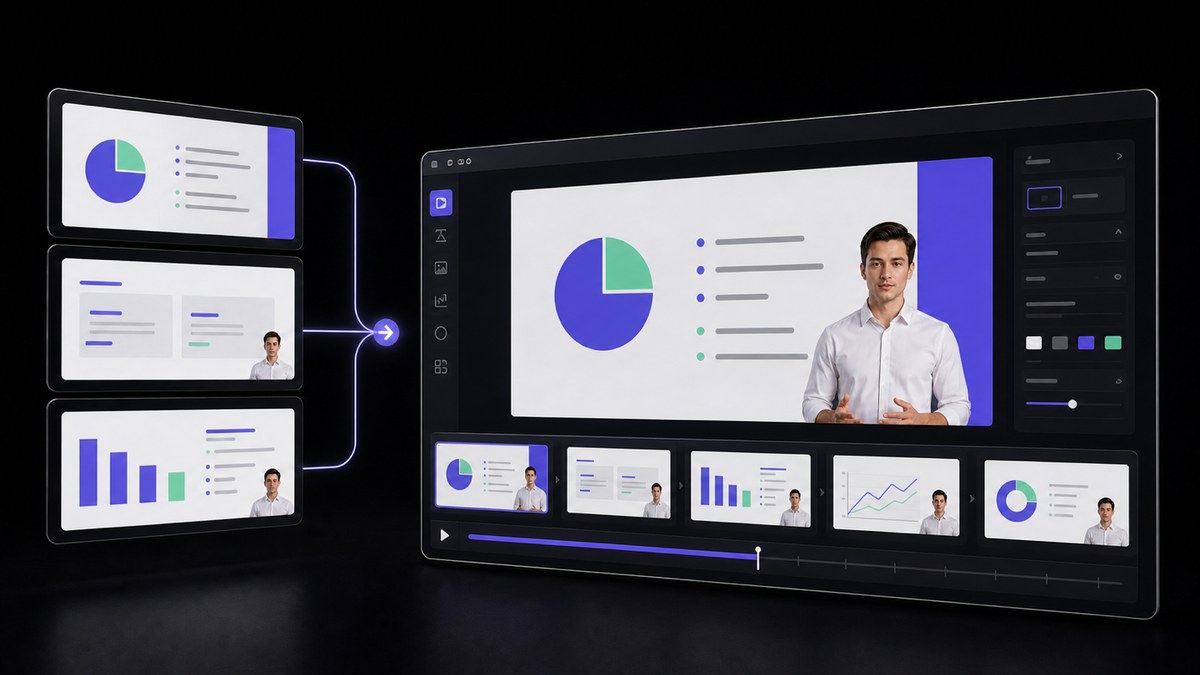
    Import a finished deck, organise one learning objective per lesson, and convert the material into presenter-led video scenes. Review the narration page by page, add exercises or checkpoints, and confirm that every paid module advances the promised learner outcome.

    Feature AI Presentation
    AI Presentation
    Turn an existing deck, document, or PDF into an avatar-led, narrated presentation that keeps the original section order.
  2. 02

    Create public discovery videos that lead to the paid offer

    Adapt one useful idea from the curriculum into a concise social or YouTube video with a clear problem, practical insight, and relevant next step. Keep the public clip valuable on its own while directing qualified viewers towards your course, community, or consultation.

    Feature AI Video Agent
    AI Video Agent
    Turn a prompt, URL, PDF or script into an editable multi-shot video draft with an avatar, voiceover and captions.
  3. 03

    Use a consistent presenter across lessons and member updates

    Choose an approved presenter or create an avatar based on your own authorised image, then keep appearance, voice, and framing consistent across the programme. Review delivery and pronunciation so the presenter supports trust without pretending to be a student or customer.

    Tool AI Avatar
    AI Avatar
    Create a lip-synced presenter video from a selected avatar, script and voice.
  4. 04

    Localise a proven course after the original offer converts

    Translate validated lessons only after the source curriculum performs for its first audience. Review specialist vocabulary, captions, examples, and cultural context with a fluent reviewer before selling the localised version in another market.

    Tool AI Video Translator
    AI Video Translator
    Create dubbed, lip-synced language versions from one approved source video.

Frequently Asked Questions

  • Yes. AI can help turn your slides, scripts, and approved presenter into course lessons, discovery videos, and member updates. The value still comes from your expertise, curriculum, support, and the results customers can reasonably expect.

Users Love VisionStory

Discover why content creators and marketers trust VisionStory for their AI video needs. From powerful features to an effortless user experience, our community can’t stop raving about the results they achieve with VisionStory.

See all reviews on G2