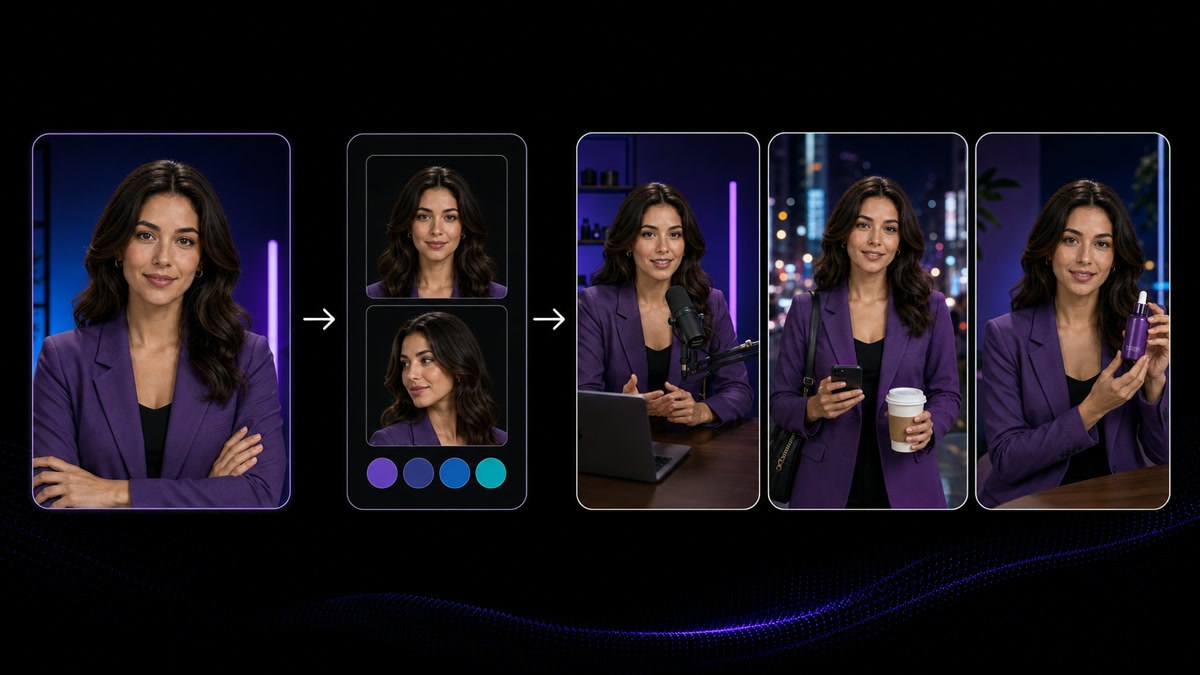
What goes in and what comes out

Who it is for

Content leads at social agencies

The person accountable for the deliverable count across a roster of retained accounts, usually writing, producing and scheduling for several brands in the same week.

What you start with

Approved brand material, not footage

A product page, a launch memo, a spec sheet or a handful of licensed stills. VisionStory does not shoot, and most retained clients cannot supply new footage monthly.

What you get

A month of cuts, per account

Short-form videos in the versions a calendar needs, vertical, square, captioned and clean, each account carrying its own recurring presenter and voice. Files come back to you for client review. VisionStory does not schedule, post or run anyone's channels, and the client's named approver is who releases a cut.

What changes when the month is contracted and the assets are not

Twenty a month is the number in the statement of work. Four files sit in the shared drive, two of them logos and one a press kit from last quarter. The distance between those two numbers is the actual job on a retained account, and it is why a month has to be buildable from what the brand has already written and approved rather than from what it still owes you.

Deliver the number in the contract when nothing arrives

The statement of work says twenty videos a month. It is the eighteenth, you have delivered six, and the shared folder the client promised to fill still has last quarter's press kit sitting in it. Your account manager has chased twice. Nobody is refusing you anything, the person who owns those files is halfway through a rebrand and has not opened the thread. The invoice goes out regardless, and so does the performance report that will be read as your work.

Building from approved written material changes what a quiet month costs you. A product page, a spec sheet or a launch memo the client already signed becomes an editable multi-shot draft with a presenter, narration and captions in place, and generated shots fill the frames where footage would have gone. You are editing on day two instead of chasing on day eighteen. What still gates the release is the client approving the claims, not the client finding time to send a file.

Get a month of motion out of one product photo

The client sends exactly one usable image: the product on a white background, shot for the ecommerce listing, cropped square. It is the only asset that exists and it will be the only asset that exists until the next photography budget clears. Every post on the calendar needs movement, and the same still slid across the frame with a slow zoom on it reads as filler by the third time it appears in someone's feed.

A licensed still can carry more than a pan. Animating it creates a short, controlled move, a gentle camera drift, a product turn, a scene that feels alive, and a generated shot built from that same reference keeps the object recognisably the client’s, not a lookalike. Ten posts stop looking like ten crops from one photo. The rule that holds it all together is licensing: animate only what the client owns or has cleared, and get that confirmation in writing first.

Treat the month as the deliverable, not the individual video

Five calendars are open on Monday and none of them move at the same tempo. One account posts daily, one wants three a week, one only shows up around a promotion. By Thursday you’ve written the same myths-about-this-category angle twice for two different brands, because it worked somewhere last week and you were moving between accounts fast. Nobody notices within a single post. They notice across a month, and a month is what the client renews on.

Planning at the month level is what stops that repetition. Set each account’s posting density and topic rotation before anything is drafted, then build the whole slate in one sitting so any repeated angle shows up while it’s still a draft—and can be resequenced or replaced instead of published. Drafting that fast is what production speed actually buys you. What it doesn’t decide is timing: which week a launch, a promotion, or a seasonal angle belongs in is still a client call, and so is the order they want it to run in.

Ship every version the calendar asks for, from one approval

One approved idea is never just one file. The vertical goes to Reels and TikTok, the square goes to the feed, one version needs burned-in captions because it plays silent, another needs a clean frame because the client’s community manager adds their own text on top. Multiply that across five accounts and twenty deliverables, and the export list quietly eats up the last week of the month—which is also the week the client comes back with edits.

When a cut stays as an editable draft instead of a flattened export, all the versions come from one approved source rather than four separate builds. The claim, the offer, and the wording get settled once in review, and every ratio and caption state inherits that decision—so the square version doesn’t end up carrying a line the client already cut from the vertical. Versions get cheap. Approvals stay expensive, and that’s the right way round.

Start a new client in week one when the kickoff shoot isn’t booked

The retainer starts on the 1st. The brand asset handover is buried somewhere in an email thread, platform access hasn’t been granted yet, and the brand call that settles tone, claims, and no-go topics is sitting on next week’s calendar. Nobody is being difficult—the marketing lead who owns all three is onboarding you between two other launches. The first invoice still covers a full month, and the first month is the one the client quietly judges the whole retainer on.

Almost everything a first slate needs is already public. The client’s own site, product pages, help centre, packaging copy, and press releases are approved language by definition—and a slate drafted from them gives the kickoff call something concrete to react to instead of a blank agenda. Clear the rights before anything is animated or voiced: an image on a public site isn’t automatically cleared for paid social, and any real person’s face or voice needs that person’s written permission for this specific use, obtained by the client.

How social agencies use VisionStory across a client roster

The steps below follow the order material actually shows up on a retainer account: written copy first, images if you’re lucky, footage almost never. Each step also marks the decision that belongs to the client, not the tool.

Before anything is scheduled, the client confirms the claims, the tone, and the topical fit for that week—and confirms in writing that every image, likeness, and voice in the cut is licensed for this use and this placement.

  1. 01

    Turn approved client material into the month’s first cuts

    Give AI Video Agent the product page, launch memo, spec sheet, or PDF the client has already signed off on, and it returns an editable multi-shot draft with a presenter, narration, and captions in place. That’s the fastest way to put a slate of concepts in front of an account manager while the asset request is still unanswered. Treat every draft as a starting point, not a deliverable. The client’s own team still needs to confirm claims, pricing, availability, and anything the source document says about a product that may have changed since it was written.

    Feature AI Video Agent
    AI Video Agent
    Turn a prompt, URL, PDF or script into an editable multi-shot video draft with an avatar, voiceover and captions.
  2. 02

    Fill the frames where client footage doesn’t exist

    Most retainer accounts can’t supply fresh b-roll on a monthly cycle. AI Video Generator builds shots with real motion from a prompt or a reference image, so a cut has somewhere to go between presenter segments instead of leaning on the same three stock clips every agency in the category is also licensing. Use generated footage for atmosphere, context, and transitions, and keep the product itself tied to the client’s own imagery—so nothing on screen implies a feature, a colourway, or a packaging design the client doesn’t actually ship.

    Tool AI Video Generator
    AI Video Generator
    Generate motion-rich video shots from a prompt or reference image.
  3. 03

    Give each account a face and a voice it keeps

    AI Avatar generates a lip-synced presenter from a chosen look, a script, and a voice—which is what lets a viewer recognise an account even before reading the handle. Set the look, the voice, and the read once per brand rather than per video, and note the choice on the client’s brand sheet so whoever picks up the account next doesn’t quietly introduce a second host. In multi-client work, this is the difference between a roster and a pile of unrelated videos, and changing a presenter mid-contract is a client decision—not an edit.

    Tool AI Avatar
    AI Avatar
    Create a lip-synced presenter video from a selected avatar, script and voice.
  4. 04

    Get motion out of the one image the client actually sent

    When the entire asset drop is just a product still or a location photo, Image to Video turns it into a short, controlled move instead of yet another slow zoom. Over a month of short-form video production at scale, that’s the difference between ten posts that look like crops from one photo and ten posts that look properly produced. Animate only images the client owns or has licensed—including anything with a recognisable person in it—and get that confirmed in writing first, since a stock licence bought for print doesn’t always cover paid social.

    Tool Image to Video
    Image to Video
    Animate one approved portrait, product or scene image into a short video clip with controlled motion.
  5. 05

    Handle likeness requests with permission attached

    Face Swap replaces the face in a still image with an authorised portrait while keeping the original lighting and composition intact, which in client work usually means keeping a spokesperson consistent across a set of stills. The requirement never changes: the person whose face is used must have given permission for this specific use, and your client is the party that obtains it. Don’t use a public figure, a customer photo, or an employee headshot without it, and keep the release filed along with the deliverable.

    Tool Face Swap
    Face Swap
    Replace the face in a still image with an authorised likeness, keeping the original lighting and framing.

Frequently Asked Questions

  • Start from what the client has already written and approved, rather than from footage they still owe you. A product page, launch memo, or PDF becomes an editable multi-shot draft with a presenter, narration, and captions; generated shots fill the frames a camera would have covered; and a licensed still can be animated instead of panned. The month gets drafted from material that already exists, and the client’s approval of the claims is what unblocks release—not their ability to fill a folder.

Users Love VisionStory

Discover why content creators and marketers trust VisionStory for their AI video needs. From powerful features to an effortless user experience, our community can’t stop raving about the results they achieve with VisionStory.

See all reviews on G2