What you need to create an AI influencer

Who it is for

Creators, small teams, and brand operators

For people building a virtual influencer account, a recurring fictional host, or an owned social character for Instagram, TikTok, and YouTube.

What you start with

A niche, character brief, and content plan

Define the audience, character appearance, approved voice, personality, platform, posting format, and the first ten topics before generating content.

What you get

A repeatable AI influencer content system

Create consistent portraits, talking videos, supporting clips, and higher-resolution assets that can be reviewed and scheduled across multiple platforms.

What an AI influencer workflow helps you do

People searching for an AI influencer usually want to solve three practical problems: create a believable original character, publish enough consistent content to grow an account, and understand how that audience could become a business. The workflow below connects those needs to specific production outputs, instead of treating the character as a one-time image.

Launch a virtual influencer without filming every post

A human-led creator account depends on locations, wardrobe, lighting, camera access, and the creator's availability. That makes daily or weekly publishing difficult for a solo operator, especially when each platform needs a different aspect ratio and content length.

An AI influencer starts with an approved character definition and a repeatable set of formats. You can turn scripts into talking videos, animate owned images, and prepare multiple platform editions while keeping the final selection, editing, and upload process under your control.

Keep the same face, voice, and style across every video

Inconsistent characters are one of the most visible problems in AI-generated social content. If the face, hairstyle, age, voice, or personality changes between posts, viewers cannot recognise the account and brands cannot treat the character as a dependable creative asset.

Create a short identity guide that defines the fixed face, voice, colours, framing, and personality. Reuse those approved inputs in each workflow, compare new outputs with the guide, and reject any draft that changes the character enough to break continuity.

Produce content for Instagram, TikTok, and YouTube

An AI influencer needs more than portraits. Instagram Reels, TikTok videos, and YouTube Shorts require hooks, spoken or on-screen value, supporting visuals, and a reason for the audience to follow the next post. Repeating the same talking-head clip won't create a useful channel.

Plan recurring formats around the niche: product demonstrations, explainers, reactions, short stories, tutorials or weekly recommendations. Generate the character segment and supporting footage separately, then edit each version for the destination rather than posting one identical file everywhere.

Build towards sponsorships, affiliate content, or your own products

AI influencer monetisation can include sponsored posts, affiliate links, licensed character appearances, digital products or services. None of these revenue models is automatic: brands and buyers still need a relevant audience, clear positioning, reliable publishing, and content that produces a useful response.

Choose one revenue path before planning the content calendar. A sponsorship account needs brand-safe examples and documented character rights; an affiliate account needs accurate product demonstrations and disclosures; an owned-product account needs content that shows why the offer solves a specific audience problem.

Protect the account with clear rights and AI disclosure

Using a recognisable person’s face or voice without permission can create privacy, copyright, publicity-right, and platform-policy problems. Presenting a synthetic character as a real customer or expert can also damage audience trust and make commercial claims harder to defend.

Use an original character or media you are authorised to use, keep source and consent records, and disclose synthetic content where the destination platform requires it. VisionStory creates media files; you remain responsible for identity choices, claims, contracts, and publishing compliance.
Choose how the AI influencer will make money before scaling content

Match the account to one primary revenue model: sponsored content, affiliate offers, licensed character work, digital products or services. Build the content plan around that buyer and value proposition, then measure audience quality and conversions before increasing production volume.

Compare creator monetisation models

How to create AI influencer content with VisionStory

Use each capability for one production job: define the recurring character, turn approved scripts into videos, add supporting visuals, and prepare assets for publishing.

Before publishing, check character consistency, source rights, spoken claims, platform format, and required AI disclosure. Never use the workflow to impersonate a real person or fabricate a customer testimonial.

  1. 01

    Create the consistent AI influencer identity

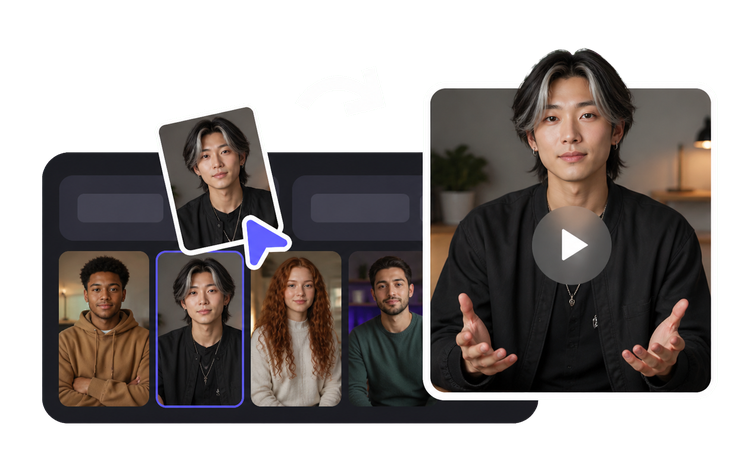
    Define the character’s approved face, style, and voice once, then reuse that identity across future content. Save a reference portrait and written character guide so every new video can be checked for changes in facial features, age, styling, and personality before publication.

    Tool AI Influencer
    AI Influencer
    Build one recurring virtual persona with a fixed face, voice and look that stays recognisable across every video.
  2. 02

    Turn approved scripts into talking influencer videos

    Add a reviewed script to the character portrait to create a lip-synced presenter video. Use it for explainers, reactions, product introductions, and channel updates, then check pronunciation, facial motion, and message accuracy before using it in a social edit.

    Tool Talking Photo
    Talking Photo
    Make a single still portrait speak a script with natural lip-sync and head movement.
  3. 03

    Keep a recognisable voice while preserving the performance

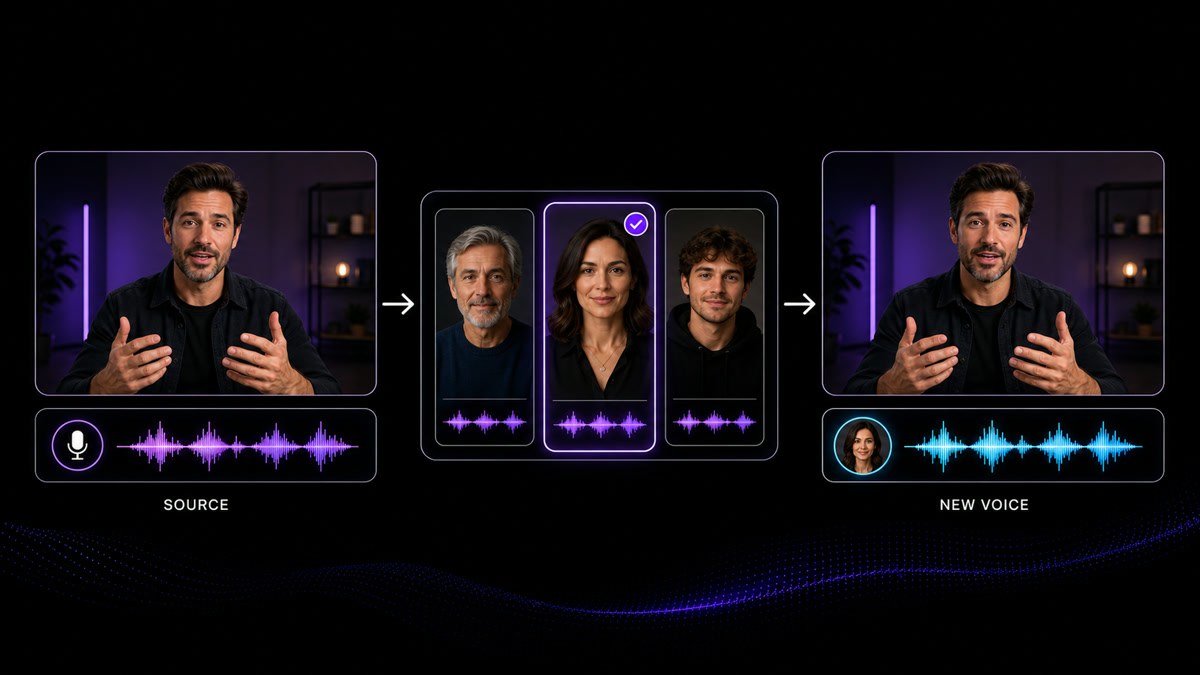
    Record the delivery with the timing and emphasis you want, then change it to the character’s authorised voice without replacing the performance rhythm. Reuse the same approved voice profile across posts and check that it does not imitate a real person without permission.

    Feature Voice Changer
    Voice Changer
    Change the delivered voice on an existing recording, while keeping the original timing and performance.
  4. 04

    Create supporting clips for Reels, TikToks and Shorts

    Animate owned character images, product photos, or scene references to create the supporting shots a short social video needs. Match the motion and framing to the script, and use different edits for vertical feeds instead of relying on one generic talking-head output.

    Tool Image to Video
    Image to Video
    Animate one approved portrait, product or scene image into a short video clip with controlled motion.
  5. 05

    Place the approved character into owned campaign images

    Use Face Swap only with images and identities you are authorised to edit. It can help create campaign stills, thumbnails, and scenario mockups while preserving the original composition, but every result still requires a check for identity accuracy and appropriate context.

    Tool Face Swap
    Face Swap
    Replace the face in a still image with an authorised likeness, keeping the original lighting and framing.
  6. 06

    Prepare sharper profile, thumbnail, and campaign assets

    Upscale the approved character portrait and final stills before using them in profile images, thumbnails, or full-width campaign layouts. Check facial details, hair, and text after processing, then keep the reviewed master as the source for future exports.

    Tool Upscale Image
    Upscale Image
    Increase the clarity and usable size of portraits, product photos, thumbnails and reference images.

Frequently Asked Questions

  • Choose a niche and audience, define an original character, create an approved face and voice, plan repeatable post formats, and produce the first ten pieces of content before launch. Use one identity guide to review every image and video for consistency.

Users Love VisionStory

Discover why content creators and marketers trust VisionStory for their AI video needs. From powerful features to an effortless user experience, our community can’t stop raving about the results they achieve with VisionStory.

See all reviews on G2