角色驱动的系列作品,成败往往取决于“能不能一眼认出来”。观众必须在不费脑的情况下接受:这一幕里的脸就是上一幕那张脸;这个声音属于同一个人;角色没有在两集之间悄悄变成另一个人。本页将一步步说明,叙事团队如何制作能贯穿整部系列的 AI 角色视频:只需一次把角色定义成具有固定面孔、音色与形象的 persona;随后生成场景与对话镜头时,都以该 persona 为基准,而不是每次都用一段全新的文字描述;并让角色关键画面足够清晰,能撑得住最终交付母版。VisionStory 负责生成角色资产与镜头,但不会替你写故事、不会替你剪辑单集,也不会决定发布什么。若角色基于真实人物的面孔或声音构建,必须先取得该人物的书面授权。
解决办法是:别再反复“描述”角色,而是开始“复用”她。一次搭建好的 persona 会把面孔、音色与形象固化为固定参照;之后每一场戏都以这个参照来生成,而不是用某人凭记忆改写的一段设定文字。VisionStory 让角色更容易被认出来,但不会替你决定她是谁。你仍需要把角色设定写清楚,也仍需要盯住每个新场景的第一帧,检查那些最容易漂移的细节:服装、发际线、以及必须一直留在同一侧脸颊上的小疤痕。
所以,把“说话镜头”当成有时长的镜头来设计,而不是一段跟着音频多长就跑多长的素材。生成角色的一条连续长镜头,通常只能稳住几秒台词;随后细小的误差会不断累积,脸就开始显得“合成感”强。长段台词最诚实的解决方式就是切:切到听者、切到反应、切到手部,再切回来。先在生成前确定视线方向,而不是生成后再跟它较劲;每条 take 控制得足够短以保持干净,在台词点上切,而不是把镜头硬拉到它承受不了的长度。某个瞬间真的必须拉长时,靠的是调度与导演选择,不是更长的渲染。
角色驱动的团队如何使用 VisionStory
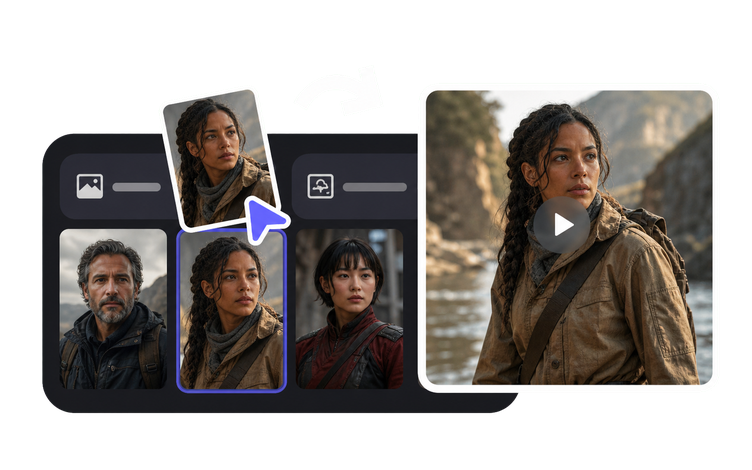
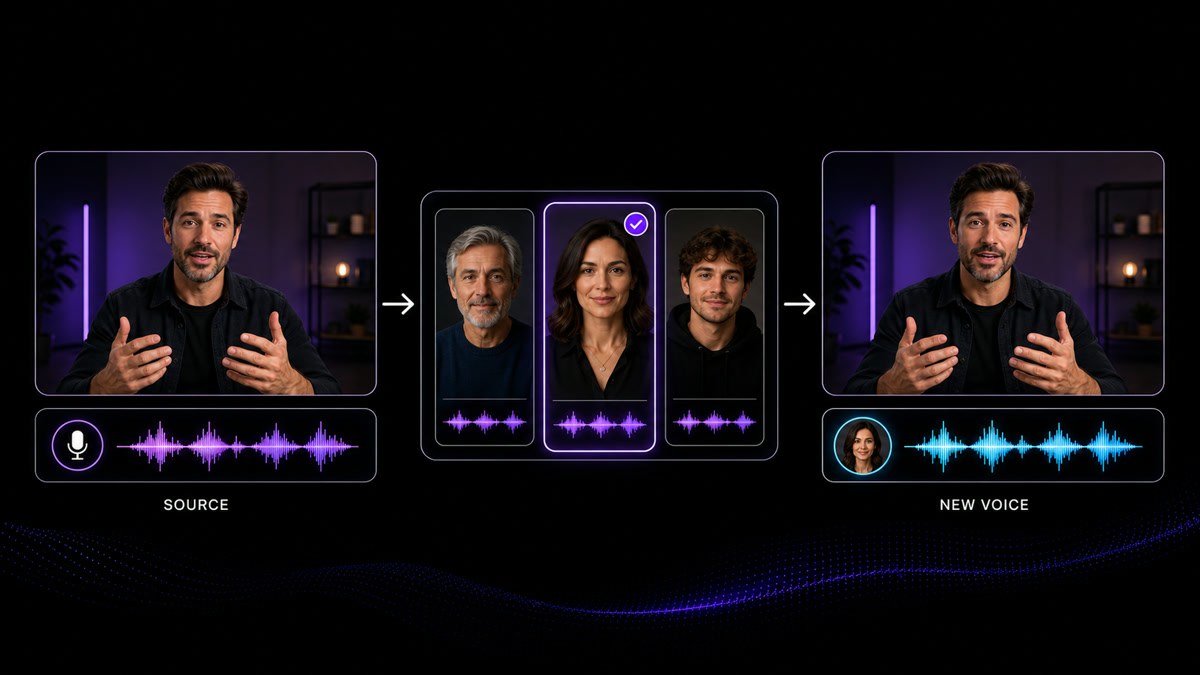
制作 AI 角色视频的简单答案是:先把角色定下来,后面的一切都围绕它来生成。角色“档案”的价值远高于角色“描述”,差别就在你往里放了什么:一张脸、一个音色、一种说话方式,以及一份绝不允许变动的外观规则清单。把这四件事定好,后面大多就是执行。下面 6 个步骤也标出了仍需要人来做决定的节点——尤其是在涉及真实人脸或声音,以及最终对外发布的内容时。
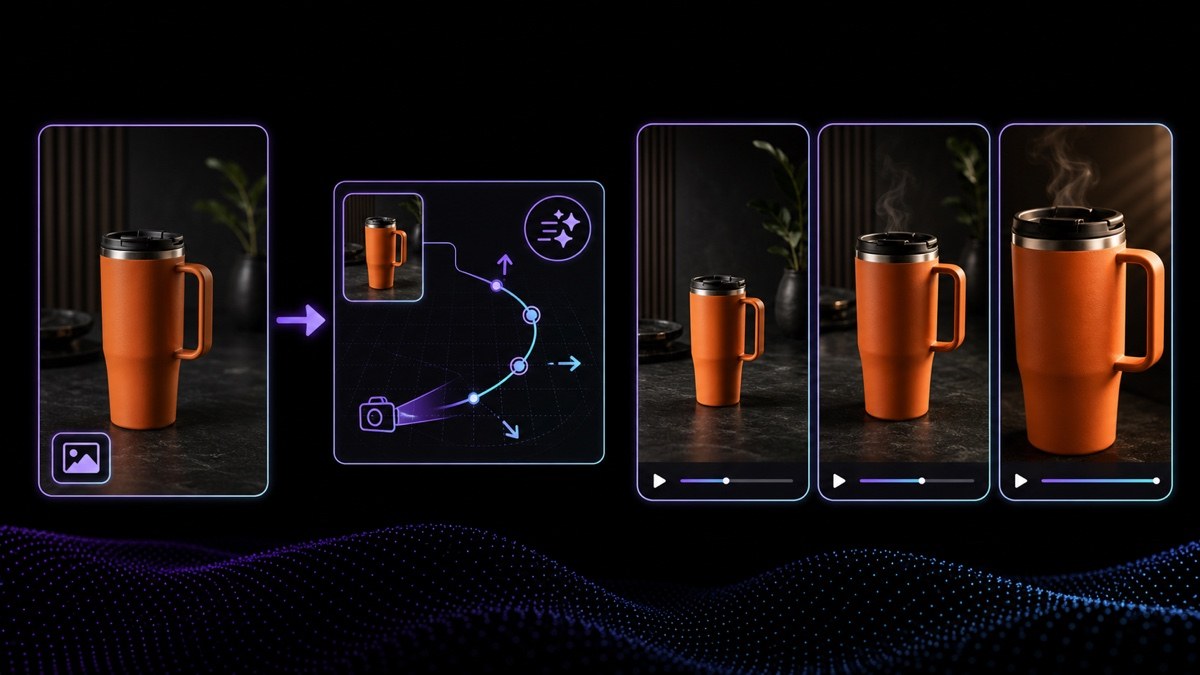
人设定下来后,下一步要验证的是:它能不能动。用 Image to Video 把一张已授权的角色图片做成动效可控的短片段——按镜头逐个生成,而不是一次做完整场景。可剪辑的镜头才是对话来回的基本单位,也给你留出空间去放那种“晚半拍才落下”的反应。动作只做当下这一刻需要的就好;角色在画面里漂来漂去,看起来更像特效而不是表演。越早看到角色动起来,也越能在还便宜、还来得及的时候判断造型是否对路。把这些片段剪成一场戏的方式,由你来定。
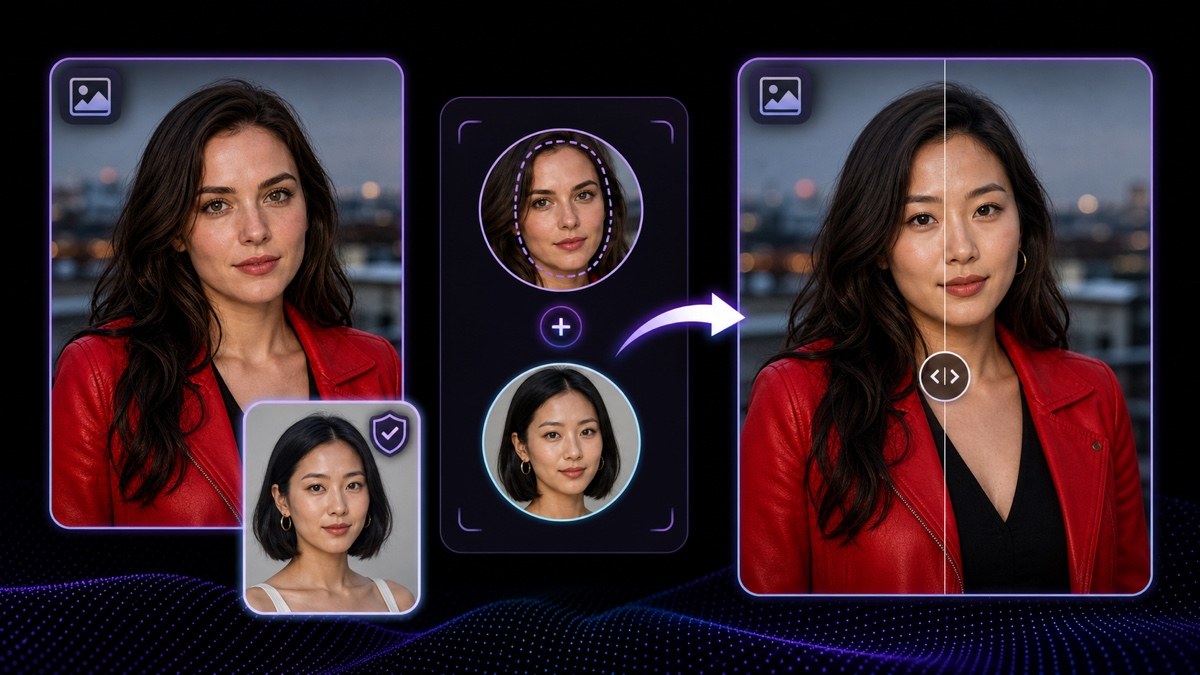
Face Swap 会把静态图片中的人脸替换为已授权的肖像,同时保留原图的光线与构图——这也是基于真实人物打造的角色,如何在主视觉与剧照之间保持一致的方式。它适用于静帧,不适用于已完成的视频片段。在第一帧出现之前,就要拿到当事人的书面授权,明确角色指向、内容范围以及投放渠道,并且绝不能把结果冒充为他们的真实影像。如果授权不清晰,那就改为直接生成角色。
VisionStory AI Delivers Strong ROI with Fast, High-Quality Video Creation
I like VisionStory AI because it delivers strong ROI through intelligent automation. It helps me create high-quality video content much faster and at a lower cost than traditional production. The AI understands prompts well, produces natural results, and makes it easy to test creative ideas quickly.
AGAKI G.Small-Business · International Trade and Development
High-Quality Talking Videos at a Competitive Price
VisionStory is able to create high-quality talking videos at a very competitive cost. The video generation cost can be less than $1 per minute, while the final result is comparable to leading AI video models.
TLTony L.Small-Business · Animation
Easy-to-Use Tool, Ideal for Educational Content
I like that VisionStory AI is very easy to apply and extremely easy to use. You don't really need to know much about AI or these types of systems to get started. I also appreciate that it helps me a lot by simply saying what I want to generate, I make a brief speech or what the character is going to say and let VisionStory AI do everything. Moreover, the initial setup was very simple, as I did it through my Google account and it was extremely easy. Apart from a few details, it is an excellent application.
AMAaron Misael G.Small-Business · Animation
Podcast Feature That Auto-Splits Two Speakers—A Huge Time Saver
I love the podcast feature the best, although making other videos work great too. I can't believe that you can upload one audio file with 2 different people talking back and forth, and the program can automatically put the correct sections of the audio to the right character. That is such a time saver!
JHJill H.Small-Business · Entertainment
Fast, Efficient PPT-to-Video Creation for Training and Team Updates
What I like best about VisionStory AI is its PPT-to-video feature. As a technical team leader, I often need to create internal training materials, project updates, and presentation videos for my team. VisionStory AI lets me turn slides into video content much faster, without having to spend extra time recording, editing, or coordinating production resources. Overall, it makes knowledge sharing and internal communication far more efficient.
YDYanlong D.Mid-Market · Computer Software
VisionStory Turns PPTs into Ready-to-Use Presentation Videos in Minutes
In my daily work, I often need to present slides in video format, and VisionStory handles that perfectly. I just upload my PPT, add my own photo and voice, and it quickly creates a presentation video that’s ready to use. It saves me a lot of time and really improves my workflow.



用户喜爱 VisionStory
了解为什么内容创作者和营销人员信赖 VisionStory 来满足他们的 AI 视频需求。从强大的功能到轻松的用户体验,我们的社区对使用 VisionStory 所取得的成果赞不绝口。