A written SOP is rarely ignored because it’s wrong. It’s ignored because reading step 14 while standing at the machine—or while a customer waits on the line—is slower than asking whoever is nearest. That’s where process drift starts, and it stays invisible until an audit or a defect trend makes it visible. The sections below cover what changes once the approved procedure is rebuilt into something people watch, and which part of the maintenance burden each one takes off your plate.
Show the real step instead of describing it
The procedure says to verify the pressure reading before releasing the clamp. The new technician has now read that sentence four times and still doesn’t know which of the two gauges on the panel is the one that matters—or what a correct reading looks like on it. So they do what everyone does: find someone on shift who knows, copy what that person does, and put the binder back on the shelf unread.
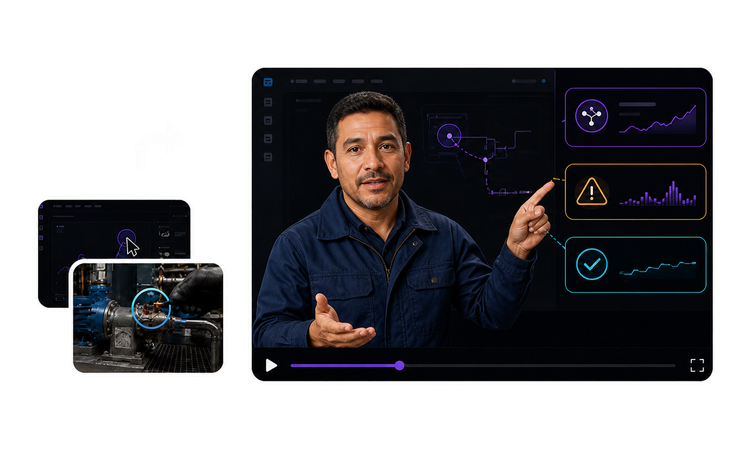
Putting the footage your own team recorded on screen with an instructor beside it closes that gap. The trainee sees the actual gauge, the actual control, and the actual sequence while a consistent presenter names what’s happening and where to look. VisionStory generates that presenter against a green screen; your editor decides where the layer lands, so the instructor ends up at the edge of the frame—not covering the control being described.
Where video tutorial software stops and an SOP begins
Fourteen minutes into a recorded walkthrough, the technician clicks the button the video just clicked and the system responds with a dialog the recording never contained: a warning about an open batch, two buttons, no obvious right one. The narration keeps describing a screen that’s no longer there. Nothing explained what the step was for, what has to be true before you continue, or what to do when the system doesn’t respond the way it did that day.
An SOP video earns its runtime somewhere else. Each step states the condition that lets you continue, the tolerance or state that counts as correct, the consequence of skipping it, and who to escalate to when the result falls outside the acceptable range. Slides cover what no recording can show, such as thresholds, safety warnings, and exception paths. Step-by-step interface clicking belongs in a tutorial; this is the layer above it.
Find one step without opening the whole procedure
The line goes down at 2:10 and the work instruction is already open on a phone: 60 pages, and somewhere inside them are the three steps that clear this fault. The recorded version is no kinder—40 minutes covering the entire machine, with a scrub bar and no chapter marks. The technician hunts for a while, gives up, and calls the one person on nights who’s done it before.
One task per module is what makes the answer easy to find. Each module covers a single procedure and uses the name the task has on the floor, plus its procedure number, so a search returns the module—not the document it’s buried in. It opens on a phone at the point of work and shows the step being performed. Small modules are cheaper to keep current, too: when a step changes, you rebuild the one module it affects.
Keep every plant, shift, and contract crew on one approved version
The second plant runs the changeover with an extra check the first plant has never heard of—added years ago by a supervisor who had a good reason at the time. Nights inherited the task verbally from someone who’s since left. The contract crew was walked through it in a language the work instruction has never existed in. Nobody is being careless, and none of it shows up until an incident, a quality trend, or an auditor forces someone to reconstruct what people were actually taught.
One released master settles what every site is trained on. The same instructor, step order, and approved wording go to each plant and shift, and approved editions in any of 88 languages let crews train in the language they actually work in—instead of inheriting a local retelling. Supervisors check equipment names and safety terminology in their edition rather than authoring a site version, so the question of what people were trained on has one answer and one revision date.
Use the footage you can never film again
Some of the most valuable process footage in a company is also the worst-looking: a line changeover filmed on a phone years ago, a control panel that’s since been replaced, a commissioning run nobody is going to schedule a second time. The clip proves the point better than any reenactment could, and it’s soft, noisy, and compressed to the point where the labels on the panel are unreadable.
Restoring that footage before it enters a module is often the difference between using it and cutting it. Enhancement clears blur, noise, and compression damage without changing timing or audio, so narration written to the action still lines up frame for frame. If a recording is truly beyond repair, reshooting the step is the honest answer—because a module where the operator can’t tell which switch was thrown teaches the wrong thing.




Users Love VisionStory
Discover why content creators and marketers trust VisionStory for their AI video needs. From powerful features to an effortless user experience, our community can’t stop raving about the results they achieve with VisionStory.