Interview shows and documentary series rarely get into trouble over ideas. They get into trouble in the week when the guest moves the call twice, the remote audio is unusable, the editor who knows the show is out, and the episode still has to go live on Thursday. The five sections below cover where a season actually leaks time and what this workflow changes in each one—including where the work still belongs to a person on your team.
Three calendars, a time-zone gap, and a topic with a shelf life
Booking one episode means finding an hour three calendars agree on: the producer who owns the schedule, the host who teaches on Tuesdays, and a guest eight time zones away whose only free window starts at 2 a.m. your time. The first reschedule costs a week. The second one costs the reason the episode existed—because the ruling, launch, or announcement it was pegged to is two weeks old by the time everyone is finally free, and the slot in the release calendar gets filled with an unplanned rerun.
Video Podcast builds the two-host conversation from a topic, a script, or audio you already have—so an episode is no longer gated by an hour three calendars can agree on. A guest who can only spare 20 minutes on a phone line at the end of their day can still be part of a watchable episode, and a subject that won’t be current next week can be produced while it still is, instead of after the window closes. What the guest agreed to doesn’t change: their words, footage, and voice stay bound to the written release you have on file, and the cut comes back to your team for review before anyone outside the team sees anything.
Who decides a guest’s audio is good enough—and when
The call that actually matters isn’t whether a track sounds bad—it’s whether the answer on it can carry a section of the episode. Right now, that judgment gets made differently every week. One editor drops a usable answer because the hiss bothered them on Monday. Another airs a much worse one on Wednesday night because there’s nothing else to cut to. No one asks the guest to record it again until the edit is already locked and the guest has stopped replying to email.
Remove Noise widens the range of tracks that can clear the bar—and the season gets easier once the bar itself is written down. Decide in advance what counts as salvageable (hum, fans, room tone, and street noise behind an otherwise clean voice) and what requires a re-record (anything clipped into distortion or that drops in and out). Put that check at ingest instead of at lock, so the producer listening that day still has a guest who will pick up the phone, and name the one person who gives the yes-or-no. Then hold every guest that season to the same standard, instead of judging each track by how badly you want that particular answer.
One 90-minute recording is six things, not one
The full episode goes out on Thursday, and that’s where the recording’s life ends. Everyone on the team knows there were six moments in those 90 minutes that stand up on their own: the disagreement at minute 20, the story about the failed launch, the two-sentence answer that explains the whole field. Nobody cuts them, because pulling six pieces, retitling them, adding captions, and scheduling them is a second job on top of shipping the next episode.
Planning the cut-downs before the recording changes what the season costs. Mark the candidate segments in the running order, and each one can be rebuilt as its own short two-host piece with a proper opening line rather than a clip that starts mid-sentence. Those same segments are the ones worth dubbing later, so a moment worth taking to another audience is chosen once and reused across the season. The recording session stays a single afternoon; what comes out of it stops being a single file.
When a Guest Agrees to Talk but Not Be Recognized
The interview only exists because the guest was promised they wouldn’t be identifiable. They’re a former employee, a clinician—someone describing something that could cost them their job. The face is easy enough to handle; the voice is not. Colleagues recognize a voice from three words, and a pitch-shifted robot version makes the guest sound guilty while stripping out the pauses and emphasis that made the answer land in the first place.
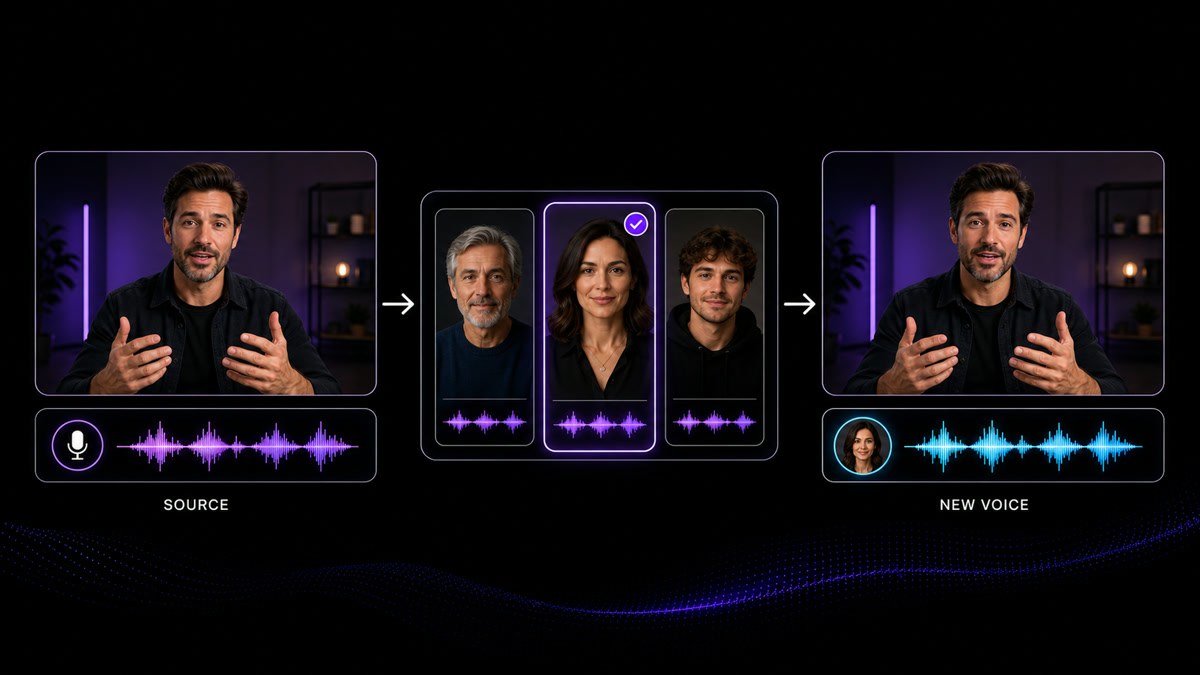
Voice Changer replaces the voice in an existing recording while the original timing, pauses, and delivery stay where they were, so the answer keeps its performance and stops being traceable to the person who gave it. That’s a decision to make with the guest, not for them: the arrangement should be written down, the guest should hear the treated version before release, and any replacement voice you use has to be one you’re cleared to use. Where anonymity has been promised, keeping the untreated master out of the shared project folder matters as much as the treatment itself.
A Show That Still Looks Like Itself in Episode 40
Episode one was cut by the person who launched the show. Episode 14 was cut by a freelancer over a holiday week, episode 22 by someone covering a resignation. The intro got shorter, then longer. The lower thirds changed fonts. The archive footage from season one is soft and noisy next to everything shot since. None of it is a mistake anyone made on purpose, and all of it reads to a returning viewer as a show that’s lost its grip.
Two things hold a series together as it changes hands. The generated host format keeps the same pair, the same delivery, and the same opening shape no matter who’s assembling the episode that week, so consistency lives in the show’s spec rather than in one editor’s memory. And enhancement brings older or lower-grade footage closer to the current look without touching the timeline or the audio, so a season-one clip can sit inside a season-four episode without announcing its age. Write the spec down anyway: a tool holds the format, a document holds the reasons.





Users Love VisionStory
Discover why content creators and marketers trust VisionStory for their AI video needs. From powerful features to an effortless user experience, our community can’t stop raving about the results they achieve with VisionStory.