角色主導嘅劇集,成敗就係靠「認得出」。觀眾要能夠唔使諗就接受:呢一幕嘅面孔就係上一幕嗰個面孔;呢把聲係同一個人;而角色唔會喺兩集之間靜靜地變成另一個人。呢一頁會一步一步講解,敘事團隊點樣製作一條能夠貫穿整個系列嘅 AI 角色影片:只定義一次角色,將佢建立成擁有固定面孔、音色同外觀嘅 persona;之後每次都以呢個 persona 作為基準去生成場景同對白鏡頭,而唔係每次都靠一段重新撰寫嘅描述;同時確保角色美術足夠清晰,經得起交付母帶輸出。VisionStory 負責生成角色素材資產同鏡頭;但唔會替你寫故事、唔會替你剪一集、亦唔會決定發佈乜嘢。如果角色係以真人嘅面孔或音色為基礎,必須先取得該人士嘅書面授權。
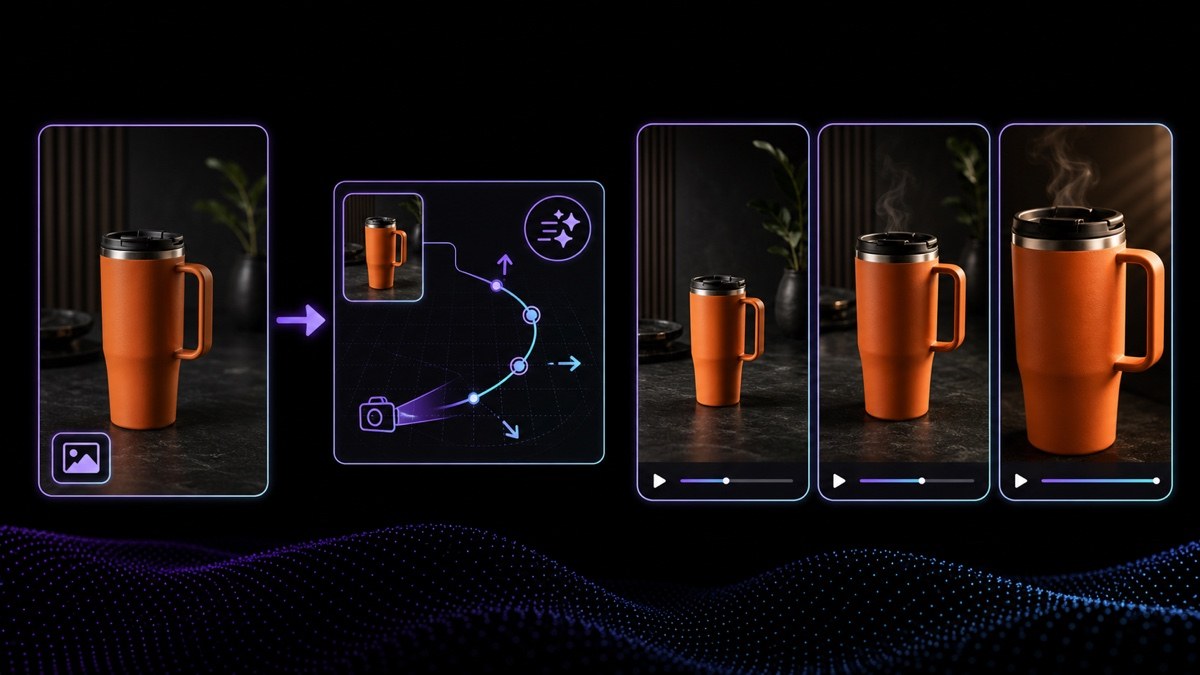
所以要將講嘢鏡頭當成「有長度嘅鏡頭」,而唔係「音訊幾長就播幾耐嘅 clip」。生成角色嘅單一連續 take,通常頂到幾秒講話;再長落去小錯誤會慢慢累積,張臉就開始變得好假。面對一段長對白,最誠實嘅做法其實係剪:剪去聽眾、剪去反應、剪去手部,再剪返嚟。生成之前先決定好視線方向,唔好之後先同佢拗;每個 take 保持夠短先會乾淨;到句尾就剪,唔好硬拉一個鏡頭超過佢負擔到嘅程度。當某個時刻真係要拖長,補救靠嘅係導演調度,而唔係渲染更耐。
角色主導嘅團隊點樣用 VisionStory
做 AI 角色影片嘅簡單答案係:先定好角色,其後所有內容都以佢做基準去生成。角色 profile 比角色描述更值錢,分別在於你放咗乜入去:一張臉、一個音色、一種講嘢方式,同埋一小段永遠唔容許改動嘅外觀規則。四樣嘢定咗,之後大部分都係執行。下面 6 個步驟亦標示咗邊啲位仍然需要人作決定——尤其係涉及真人嘅臉或音色,以及最後要出街嘅內容。
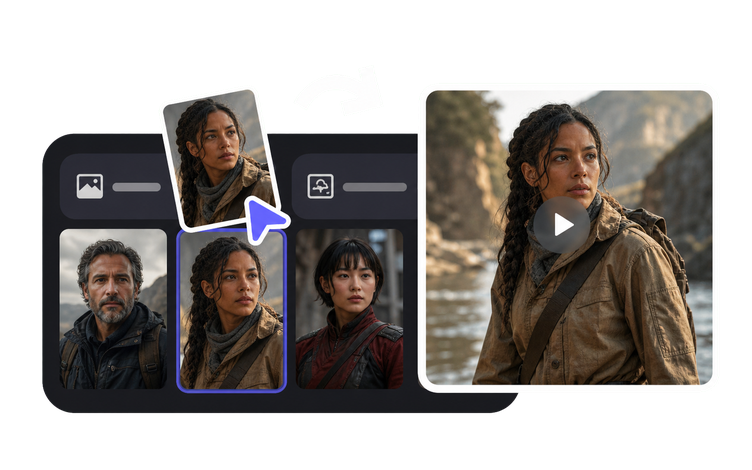
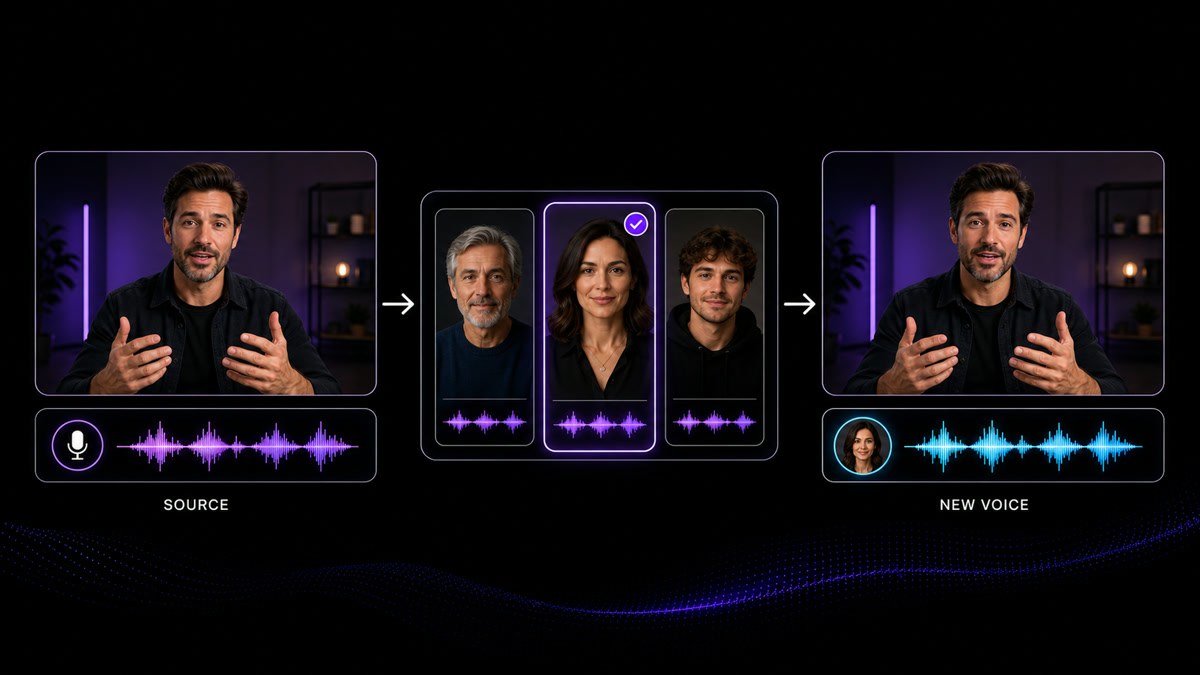
一次過建立好一個可反覆使用嘅 persona,令佢嘅臉、音色同外觀喺每條由佢生成嘅影片入面都保持固定;之後就將呢個 persona 當成所有下游製作嘅參考基準。喺產品入面,呢個 persona 就係一個 avatar:一個已儲存嘅 profile,之後每個場景都指向佢,而唔係每次重新打描述。喺旁邊寫低乜嘢唔可以郁:角色應該畀人覺得幾多歲、髮際線、服裝規則、口音、以及令對白聽落像佢嘅 2 個口頭習慣。VisionStory 會令呢個 persona 喺不同場景之間保持一致。決定個角色係邊個、同埋乜嘢令佢一眼可辨——呢部分由你話事。
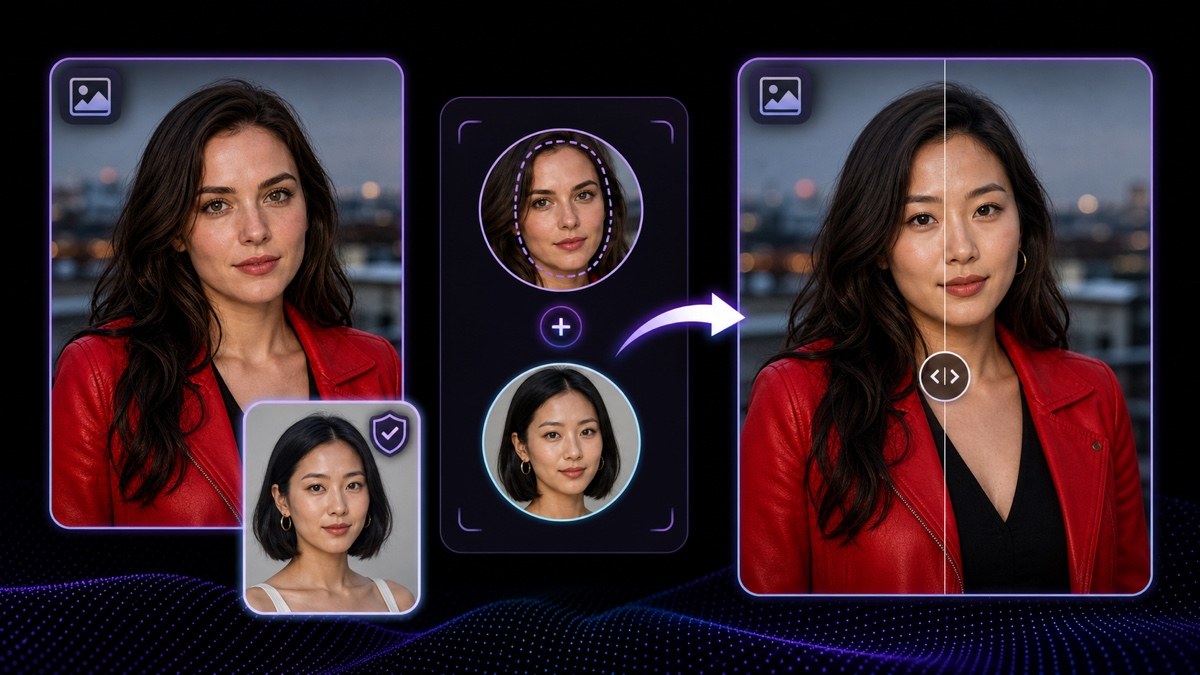
Face Swap 會將一張靜態圖片入面嘅面孔替換成已授權嘅肖像,同時保留原有光線同構圖—呢個就係以真人為原型嘅角色,點樣喺主視覺同劇照之間保持一致。佢只適用於靜態圖,唔適用於已完成嘅影片片段。喺第一格畫面出現之前,就要先向當事人攞到書面許可,清楚列明角色名稱、內容同投放渠道,亦絕對唔可以將結果當作佢本人嘅真實片段。如果授權唔清晰,就改為直接生成角色。
用剪接師接收素材嘅方式去建立對話場景:每個角色各自一個獨立鏡頭,然後互相切換剪接。每個角色都由自己鎖定嘅 persona 生成,所以兩邊面容都會保持一致;邊句台詞由邊個出鏡、望向邊度、答覆前停頓幾耐,都由你決定。令多角色對話有效嘅節奏係導演嘅決定,而唔係生成設定。
可以,但有一個坦白嘅限制。風格化生物、動物或者品牌吉祥物都可以作為 persona 固定落嚟,並以同人類角色一樣嘅方式做動作,外觀規則同樣能夠沿用。限制喺個「口」:講嘢口型係以人臉為模型,所以口鼻部、鳥嘴、頭盔,或者高度風格化嘅下顎,只能做到「大概似」而唔係完全準確;而長吻部同鳥嘴係最難處理。做非人類角色嘅團隊通常會將講嘢鏡頭縮短,偏好 3/4 角度同側面角度,並用音色同剪接去帶台詞,而唔係靠口型。
一張清晰、光線充足、正面望住鏡頭嘅角色圖片;構圖大約由肩膀以上,成塊面要完全可見:唔好戴太陽眼鏡、唔好有手遮住下顎、唔好有頭髮遮住一隻眼、唔好有嚴重動態模糊,亦唔好用從合照入面裁出嚟嘅細塊人臉。來源圖質素差時,出事通常係可預期而唔係隨機:眼神會飄、開始有對白個口就走形、而且唔同鏡頭之間面容會移位——而呢種漂移正正就係 persona 存在要避免嘅問題。換一張好嘅來源圖,效果往往比喺差圖上面再生成好多次更有用。
VisionStory AI Delivers Strong ROI with Fast, High-Quality Video Creation
I like VisionStory AI because it delivers strong ROI through intelligent automation. It helps me create high-quality video content much faster and at a lower cost than traditional production. The AI understands prompts well, produces natural results, and makes it easy to test creative ideas quickly.
AGAKI G.Small-Business · International Trade and Development
High-Quality Talking Videos at a Competitive Price
VisionStory is able to create high-quality talking videos at a very competitive cost. The video generation cost can be less than $1 per minute, while the final result is comparable to leading AI video models.
TLTony L.Small-Business · Animation
Easy-to-Use Tool, Ideal for Educational Content
I like that VisionStory AI is very easy to apply and extremely easy to use. You don't really need to know much about AI or these types of systems to get started. I also appreciate that it helps me a lot by simply saying what I want to generate, I make a brief speech or what the character is going to say and let VisionStory AI do everything. Moreover, the initial setup was very simple, as I did it through my Google account and it was extremely easy. Apart from a few details, it is an excellent application.
AMAaron Misael G.Small-Business · Animation
Podcast Feature That Auto-Splits Two Speakers—A Huge Time Saver
I love the podcast feature the best, although making other videos work great too. I can't believe that you can upload one audio file with 2 different people talking back and forth, and the program can automatically put the correct sections of the audio to the right character. That is such a time saver!
JHJill H.Small-Business · Entertainment
Fast, Efficient PPT-to-Video Creation for Training and Team Updates
What I like best about VisionStory AI is its PPT-to-video feature. As a technical team leader, I often need to create internal training materials, project updates, and presentation videos for my team. VisionStory AI lets me turn slides into video content much faster, without having to spend extra time recording, editing, or coordinating production resources. Overall, it makes knowledge sharing and internal communication far more efficient.
YDYanlong D.Mid-Market · Computer Software
VisionStory Turns PPTs into Ready-to-Use Presentation Videos in Minutes
In my daily work, I often need to present slides in video format, and VisionStory handles that perfectly. I just upload my PPT, add my own photo and voice, and it quickly creates a presentation video that’s ready to use. It saves me a lot of time and really improves my workflow.



用戶熱愛 VisionStory
了解內容創作者和市場推廣人員為何信賴 VisionStory 處理 AI 影片需求。由強大功能到輕鬆體驗,我們的社群都對 VisionStory 的成果讚不絕口。