
An AI influencer is not one good-looking portrait. It is a fixed identity that survives across photos, short videos, and brand work — the same face, style, and personality showing up post after post. That is what separates the AI influencer generator from one-off avatar generation, and it is what this tutorial builds.
Before generating anything, write down the persona: who the character is for, what topics they own, and how the account will disclose that they are AI. The example here is an adult virtual creator, 26–35, business-styled, built for productivity content, podcast clips, and reviewed product recommendations.
Step 1: Define the base identity
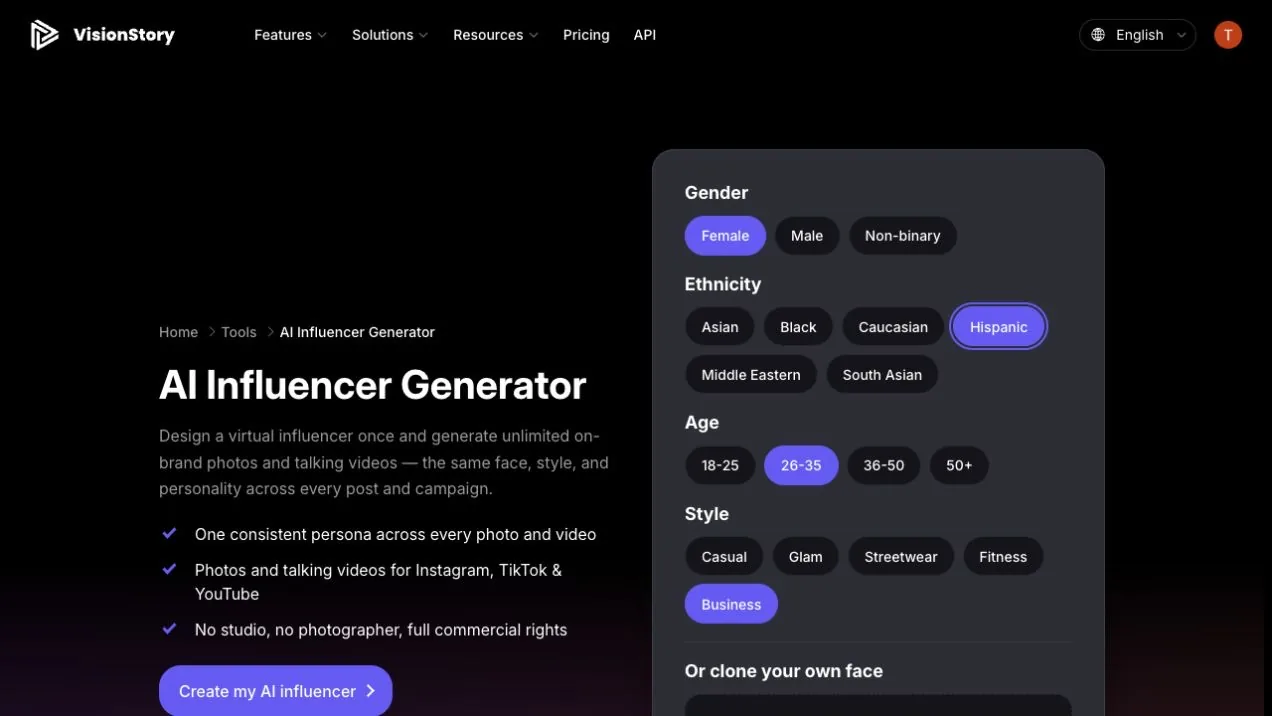
In the AI Influencer Generator, choose the gender, ethnicity, age range, and visual style. This example selects Female, Hispanic, 26–35, Business, which points every later generation toward a mature, professional creator built for knowledge and commercial content.
You can also upload a selfie you have the rights to use as the base. Do not upload photos of real people without authorization, and do not settle for vague direction like pretty and fashionable — decide who the character addresses, what they talk about long-term, and which visual traits must never change.
Step 2: Generate and lock the identity reference in AI Image
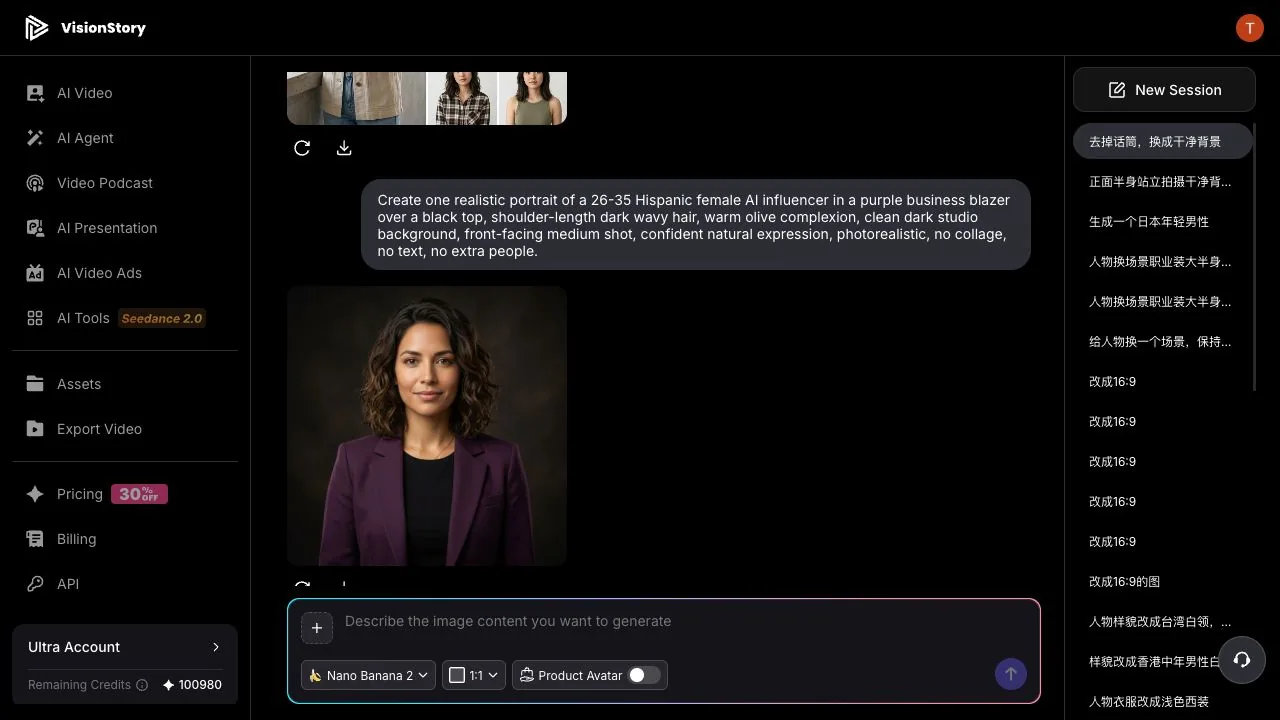
Click Create my AI influencer. VisionStory opens AI Image with your selections already composed into a prompt. Review the first output, then refine it in the input box — single subject, outfit, hairstyle, background, framing — until you have one image worth building an account on.
The example asks for an adult woman in a purple suit, dark wavy hair, frontal medium shot, clean dark background. When it lands, inspect the face shape, brows and eyes, hairline, skin tone, age impression, and outfit details. Only the image that passes this inspection becomes the identity reference for everything that follows.
Step 3: Generate new scenes for the same character in the same session
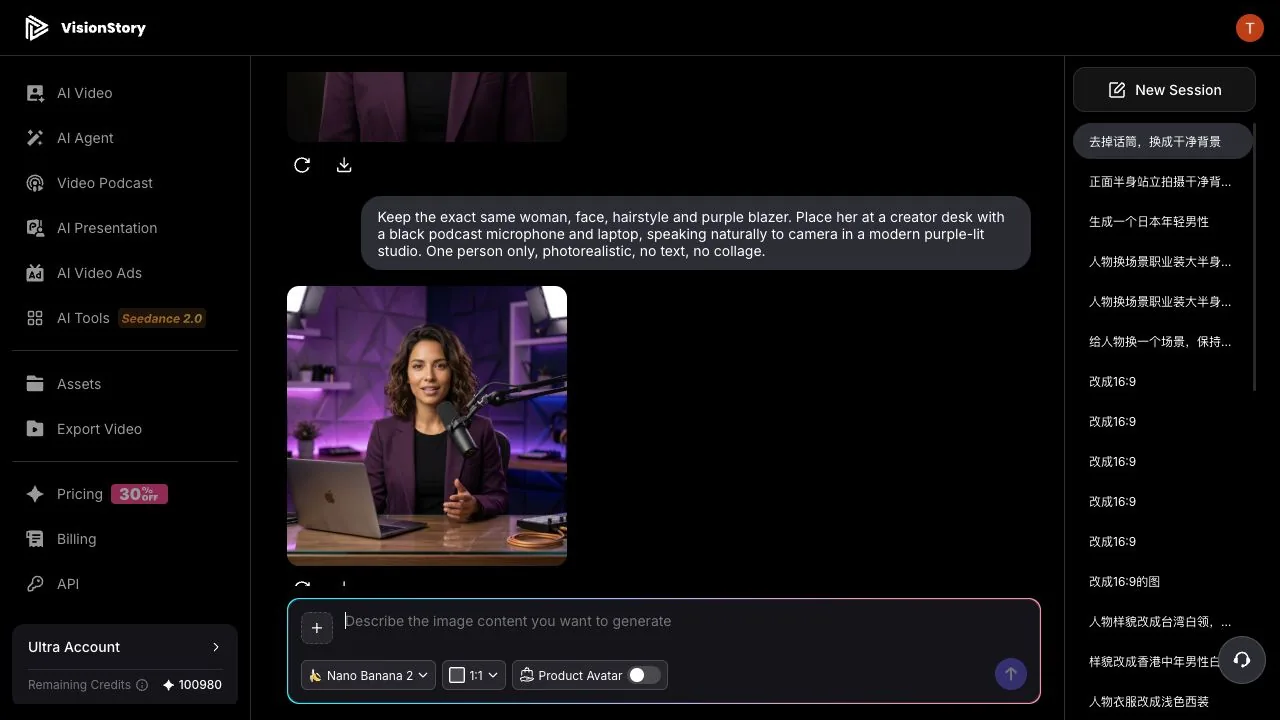
Do not start a new character or drift back to broad descriptions. In the same AI Image session, state the identity traits that must hold — same woman, same face, hairstyle, and purple suit — then add the scene, action, and props the next post needs. The example puts her at a creator desk with a microphone and laptop.
AI Image uses the previous identity reference to generate the new podcast scene. Compare face shape, hair, skin tone, and outfit across the two results, then check the microphone, laptop, hands, and background for structural sense. If the identity slips or a prop breaks, point out the problem in the same session and regenerate.
Step 4: Turn the confirmed character into a talking video
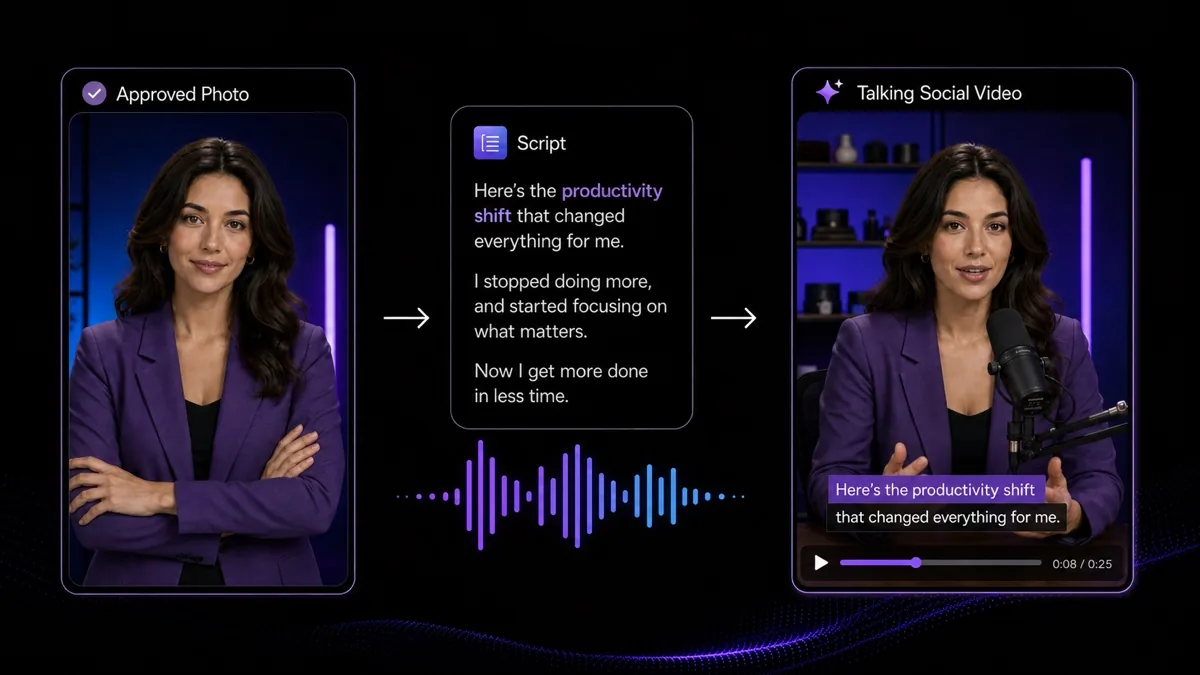
Take a photo that has passed identity review, write a short script that fits the persona, and choose the voice, aspect ratio, and captions. The example produces a 25-second productivity take, delivered naturally at the creator desk — not by a freshly generated host.
In the preview, check that the voice matches the character's age and positioning, the lip-sync holds, and captions stay clear of the face and action area. Before publishing to Instagram, TikTok, or YouTube, disclose the AI identity per platform rules, and never write fictional experiences as a real person's testimony. The talking-video workflow itself is covered in creating an AI talking avatar.
Common problems and how to fix them
- Different posts look like different people. Go back to the confirmed identity reference, stop re-describing the face, age, hair, and ethnicity, and change only the scene and action the post actually needs.
- The face is consistent but the account has no identity. Fix the content niche, tone of voice, outfit palette, voice, and visual style. A virtual influencer needs a stable personality, not just a stable face.
- Brand-deal frames read as fake testimony. Use only confirmed product facts, and write scripts as demonstrations, introductions, or brand messages — never as a real purchase story or unverified results.
- Talking videos drift from the photo style. Use the same confirmed character image as the video input, and carry the background, outfit, and lighting rules over from the photo content.
A sustainable AI influencer holds four things steady at once: identity, content positioning, visual style, and voice persona. Validate consistency with a handful of photos and one talking video first — then scale the volume. That order beats generating a pile of posts that do not match each other.
