Support teams do not usually have a content problem. The articles exist, they were accurate the week they were written, and the person who wrote them is the same person working the queue this morning. Trouble starts after publication, when the product moves, the reader is halfway through a bad afternoon, and the answer has to be findable before somebody gives up and opens a ticket. Those are the moments a short video beats a paragraph, and they are the ones worth making first.
Answer the ticket that keeps coming back
The macro is written, it is good, and your team sends it out again on Tuesday morning for the fourth time that week. It links to an article with three steps, and the reply that comes back is the one that always comes back: which menu, and my screen looks different. Two more replies go out, a screenshot gets annotated by hand, and forty minutes have gone into a problem that was solved in writing eleven months ago.
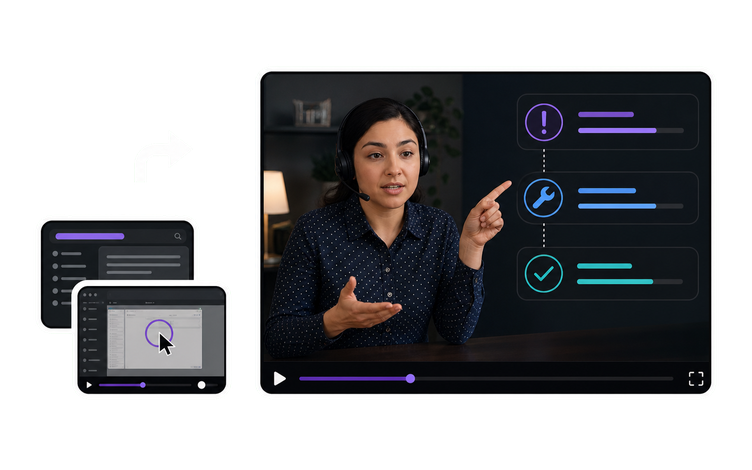
A ninety-second video attached to that same article changes what the customer has to do: watch the menu open rather than picture it from a sentence. The article stays where it is and keeps ranking, and the video sits inside it and inside the macro. Be honest about the gain. The realistic change is not that the ticket vanishes, it is that the second and third round of replies stop, because nobody has to describe a screen in words again. VisionStory makes the video from what you already wrote; whether it deflects anything depends on whether the customer finds it.
The screenshot in the article is not the screen the customer has open
Somewhere in that article there is a picture of the Settings page. It was accurate the day it was captured, three releases ago, and the panel has been reorganised twice since. Or the picture is perfectly current and the customer is running the interface in another language, where the control the article calls Integrations is simply not spelled that way on their screen. Either way the reader is hunting for a word that is not in front of them, and after a few minutes of hunting they stop and write in instead.
A recording made against the build currently shipping takes that guesswork out. The customer watches the pointer travel to the control and can match its position, its shape and the moment it responds, even when the label on their own screen reads differently. It also makes drift visible in a way a stale screenshot never manages, because a video showing a panel that no longer exists is obvious to anyone who opens it. That only pays off if someone owns the check, so record which build the video was made against and treat a release that moves that screen as a reason to shoot it again.
Three agents, three correct answers, one confused customer
Ask three people on your team how to clear the sync error and you get three routes. One flushes the cache first, one goes straight to the integration settings, one has a shortcut that never made it into writing. None of them is wrong and all three get the customer there. The customer, though, sees more than one, because they compare notes with a colleague or reopen the same ticket a month later and get the other version. Working out which one to trust becomes a ticket of its own.
One video for that problem makes one route the house route. The article and the macro reply point at the same ninety seconds, the person who joined last month sends what the five-year veteran sends, and the follow-up asking which step is actually the right one stops arriving. It also gives the team a single place to have the argument. Settle the sequence once, while the draft is being reviewed and the people who work the queue are looking at it together, rather than in twelve separate ticket threads afterwards.
Name it the way the customer would search for it
Internally the thing is called Workspace Sync, so the video gets named after it, filed under it, and nobody outside the building ever types those two words. Customers type what is in front of them and what is in their head: the error message, the button they cannot find, the thing that did not happen. An answer that is genuinely good but titled in product language is invisible to the person who needs it, and they open a ticket while it sits there being good.
So title it the way the question arrives in the queue, use the error text verbatim where there is error text, and then put the file where the question actually gets asked instead of only on a video channel. That means inside the article, inside the macro your team sends, and next to the control in the product if there is anywhere to put it. The files come out of VisionStory named however you choose to name them. Which macro they land in, which article they sit inside and whether your search surfaces them is decided by the support team that runs the help center.
Rescue the clip one agent recorded for one customer
The best explanation of this problem already exists. An engineer recorded it eighteen months ago for one frustrated account, at whatever resolution the screen recorder defaulted to, with a window title showing the customer's company name. It is sitting in a ticket thread. Everyone on the team who has been there long enough knows it exists and links to it privately, and it has never been part of the help center because it was never made to be seen twice.
Two things stand between that clip and the article. The first is that it is soft, compressed and hard to read at full width, which AI Video Enhancer repairs without touching timing or audio, so anything already narrated against it still lines up. The second is not a technical problem at all: the account name, the ticket ID and anything else identifying that customer has to come out, or the step has to be re-recorded on a test account. Enhancement makes an old capture legible. It does not make it safe to publish, and that call is yours.




Users Love VisionStory
Discover why content creators and marketers trust VisionStory for their AI video needs. From powerful features to an effortless user experience, our community can’t stop raving about the results they achieve with VisionStory.