Ask a solutions engineer where the week went and the answer is usually a handful of recurring hours: the standard tour delivered for the fourth time, a sandbox that misbehaved at the wrong minute, a rep waiting on a specialist for a demo they could nearly run alone, a prospect shown a feature their edition will never include. Recording the repeatable part changes what each of those hours costs, and each case below marks its limit as plainly as its gain.
Stop delivering the same standard tour six times a week
Tuesday holds three discovery demos, Thursday two more, and all five open with the same twenty-five minutes: the dashboard tour, the three flagship features, the integration slide, the security question that always arrives around minute eighteen. By the fourth run the solutions engineer is reciting it rather than presenting it. The parts that genuinely needed a specialist in the room, the awkward data model, the migration path, the approval chain, get whatever is left of the hour.
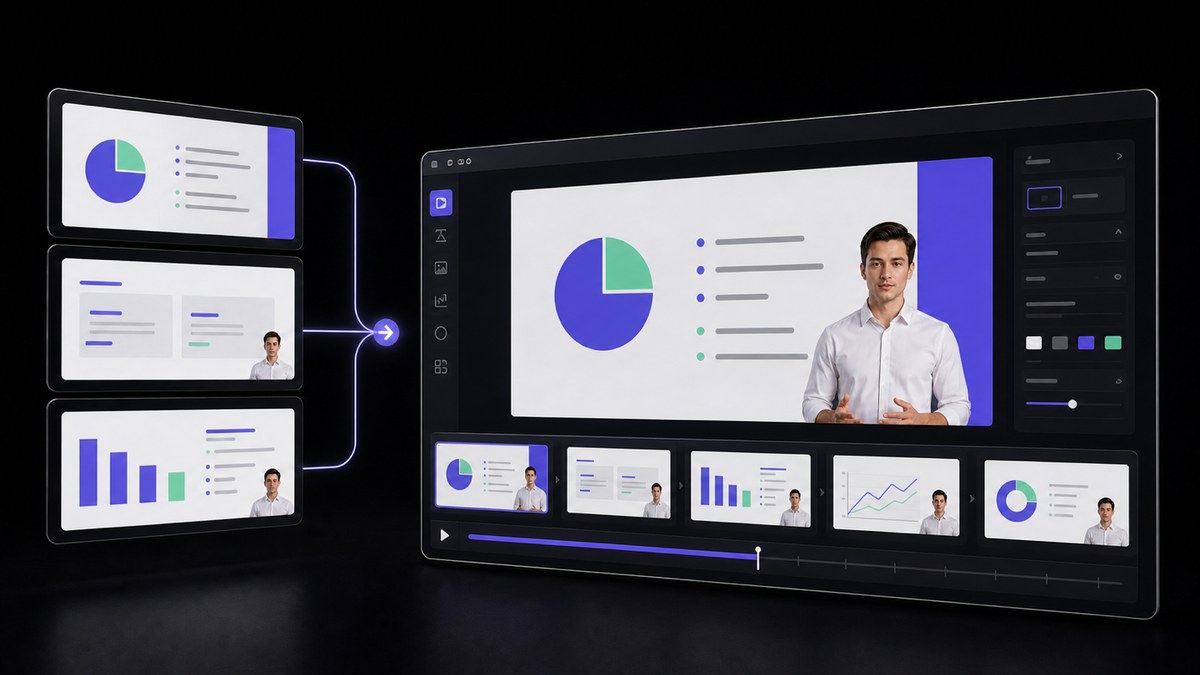
Recording that standard stretch once takes it off the calendar without taking it away from the prospect. AI Video Agent turns the demo script and the deck your team already uses into an editable draft with a presenter, narration and captions, and your own product recording sits inside it. The account watches the common path first, and the live hour begins where their situation stops matching the standard one. VisionStory hands back the file; who receives it, and when, stays a decision your team makes.
Take the demo environment out of the critical path
Fourteen minutes into a demo for the largest opportunity of the quarter, the sandbox answers with a spinner. Someone reset the seed data overnight, the record about to be opened is gone, and the account meant to show off the reporting view now has three rows in it. The room waits. The recovery is always the same: apologise, describe what would have happened, promise to send something later. That is the minute the demo stopped being evidence and became a description.
Capturing the fragile part while the environment is behaving turns that risk into a file. You record the run yourself, when the data is right and nothing is mid-deploy, and the narration explains each move as it happens. The live call can still go anywhere the prospect wants to take it; it simply no longer depends on one record loading at one particular minute. When the product changes, you re-record that segment instead of rehearsing a way around it.
Let a rep run the standard demo without booking a specialist
Three solutions engineers cover forty active opportunities, and every demo request lands in the same queue. The account executive has sat through the standard tour more times than anyone, could deliver most of it unaided, and is not cleared to, so a deal waits four days for a slot on a calendar that is already full. When a rep does go it alone, the risk is rarely the tour itself. It is the question afterwards, where an improvised answer about permissions or an unreleased capability has to be walked back weeks later.
A reviewed recording puts the specialist version of the standard path in the rep's hands without the specialist in the room, in wording the presales lead already signed off on. It holds up when the boundary is written down once rather than renegotiated per deal: the rep can play or forward the standard tour, the feature segments and the integration overview, while anything needing configuration on the spot, a custom data model, a migration plan, a security questionnaire or a capability not yet in the shipping release, still books a solutions engineer. Put that list in the demo library instead of in one team lead's head, and the exception stops being decided under pressure on a Friday afternoon.
Put the presenter beside the interface instead of on top of it
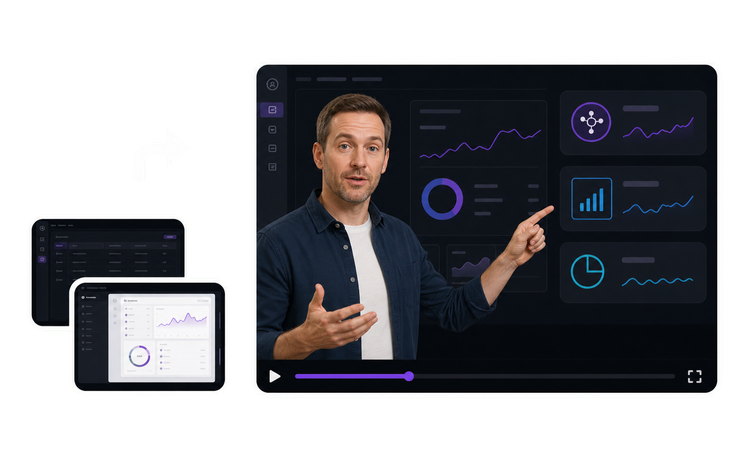
Most recorded demos open with a circular webcam bubble parked in the bottom right corner, sitting directly over the settings menu the narration is describing. The viewer watches an elbow instead of the control. Move the bubble and it covers something else. Drop it entirely and the walkthrough turns into a disembodied voice following a cursor, which is the version prospects quietly stop watching somewhere around minute two.
Generating the presenter as a green screen layer separates those two decisions. VisionStory produces the presenter layer; your own editor keys it out and places it at the edge of the frame, scaled to whatever space the screen recording can spare, so the menu, the chart and the field under discussion stay uncovered the whole time. The capture and the composite stay on your side, which is the right split when the demo environment sits behind your own login and the recording is made on your machine.
Show the edition the account is actually being quoted
The library holds one recording of the flagship path, made in the internal org where every option is switched on. A prospect evaluating the mid tier watches it and sees the approval workflow, the audit view and the single sign-on screen their plan does not include. Nobody catches it on the call. It surfaces in the trial instead, when the buyer opens the product and the panel from minute six is simply not there, and the conversation that follows lands on the solutions engineer who never chose that recording.
Once the standard tour is a file rather than a live performance, keeping a cut per edition costs a re-record of the segments that differ rather than a second walkthrough delivered live. Record in a configuration that matches what the account is being quoted, and let the narration name the boundary out loud wherever an entitlement changes, so a viewer hears which plan a screen belongs to instead of assuming it comes with theirs. The presales review then carries one more check before the file is sent: the tier visible on screen, and the capabilities shown beside it, are the ones on the quote.



Users Love VisionStory
Discover why content creators and marketers trust VisionStory for their AI video needs. From powerful features to an effortless user experience, our community can’t stop raving about the results they achieve with VisionStory.