Convert HEIC Photos to JPG
Prepare modern phone photos for software, forms, and websites that require JPEG.
Choose HEIC photos
HEIC or HEIF files · File limit: 20 · 10 MB per file
Prepare modern phone photos for software, forms, and websites that require JPEG.
HEIC or HEIF files · File limit: 20 · 10 MB per file
iPhone photo compatibility
Convert high-efficiency phone photos into JPEG files that more forms, apps, and recipients can open.
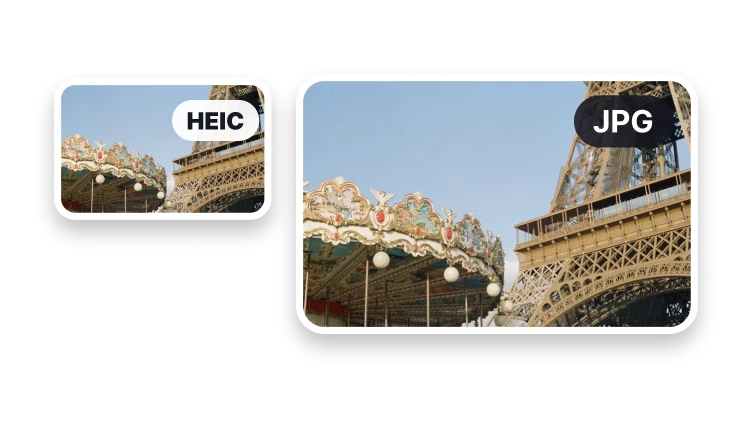
Select photos created by recent Apple devices.
Accept supported high-efficiency image files.
Apply stored camera orientation during conversion.
Use the result in forms, email, websites, and older software.
Convert for compatibility without forgetting orientation and color handling.
Format anatomy
HEIF is a container family and HEIC is a common phone-photo extension. JPG represents a simpler still-image result with different capabilities.
Phone photos can use metadata to indicate orientation. Open the converted image to check that portrait and landscape pictures still appear upright.
Keep the HEIC or HEIF source if you need depth, multiple images, motion, or other information beyond the converted still photograph.
Open the JPG and check orientation, dimensions, colors, and detail. Review any metadata you need before deleting or sharing either version.
Convert in VisionStory
Select your phone photos here, then continue to VisionStory for conversion. Open the resulting JPGs in the app or form that needs them.
The next step may require the HEIC or HEIF files to be reselected in the VisionStory workspace.
Check orientation, dimensions, visible appearance, metadata needs, bytes, and acceptance before deleting or replacing the original.
Approve the result only after orientation and HEIF-to-JPEG mapping are checked in the named player, editor, upload form, publishing system, or other intended destination.
Phone-photo checks
Open the JPG in the receiving app and confirm that the photograph is upright. Compare it with the source if rotation looks different.
Keep the HEIC or HEIF original when motion, depth, transparency, or multiple images matter. A single JPG is a simpler still-image result.
A compatible extension does not guarantee the receiving app will accept the file. Test the JPG in that app and keep the source if something is missing.
HEIC can store high-quality images in less space than older formats, so Apple devices often use it by default.