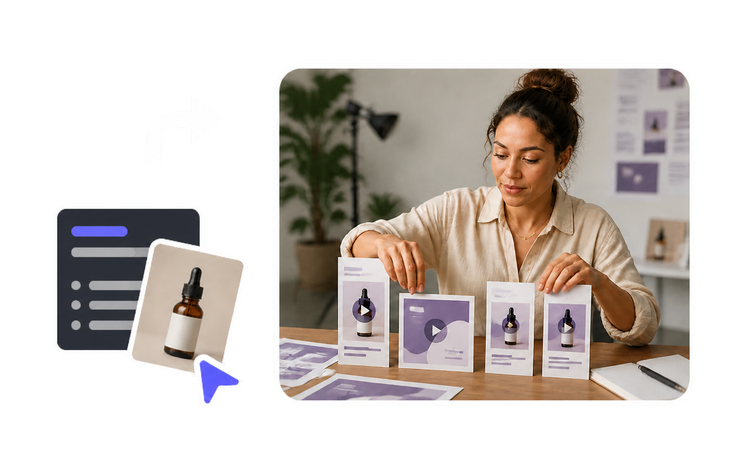
クライアントがすでに承認した商品ページ、ローンチメモ、仕様書、PDFをAI Video Agentに渡すと、プレゼンター・ナレーション・字幕まで揃った編集可能なマルチショット下書きが返ってきます。素材依頼がまだ返ってこない段階でも、アカウントマネージャーの前にコンセプトのスレートを最速で出せる方法です。各下書きは「納品物」ではなく「出発点」として扱いましょう。訴求、価格、在庫状況、そして作成時点から内容が変わり得る商品情報については、最終的にクライアント側チームが確認する必要があります。
多くのリテイナー案件では、毎月新しいBロールを用意できません。AI Video Generatorなら、プロンプトや参照画像から“本物の動き”のあるショットを作れるため、プレゼンター区間の合間を、同業のどの代理店も同じようにライセンスしている定番ストッククリップ3本で埋め続けずに済みます。生成映像は雰囲気・文脈・トランジションに使い、商品そのものはクライアントの実画像に紐づけておく。そうすることで、画面上の表現が、実際には提供していない機能・色展開・パッケージデザインを示唆してしまう事態を防げます。
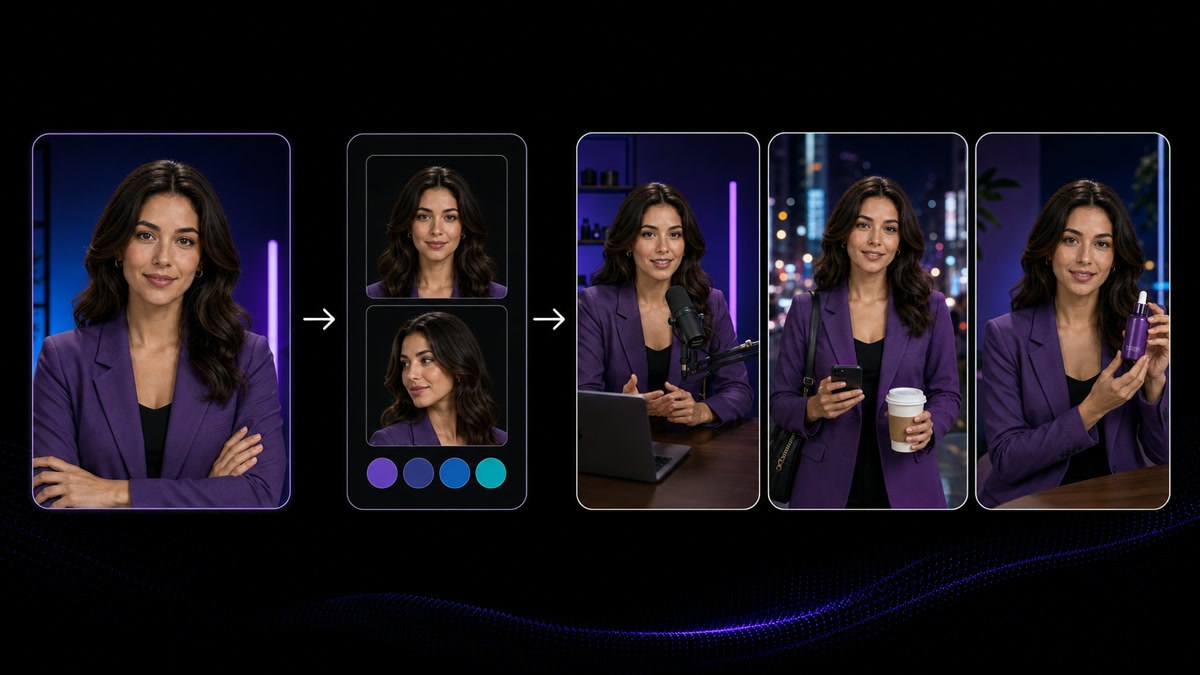
AI Avatarは、選んだ見た目・台本・音声からリップシンク対応のプレゼンターを生成します。これにより、視聴者は名前を読む前にそのアカウントだと認識できます。見た目、音声、読み方は「動画ごと」ではなく「ブランドごと」に1回設定し、クライアントのブランドシートに記録して、次に担当する人がいつの間にか2人目のホストを導入しないようにしましょう。複数クライアントを回す現場では、これが「運用ロスター」になるか「無関係な動画の寄せ集め」になるかの分かれ目です。契約途中でプレゼンターを変えるのは編集の都合ではなく、クライアントと決める判断事項です。
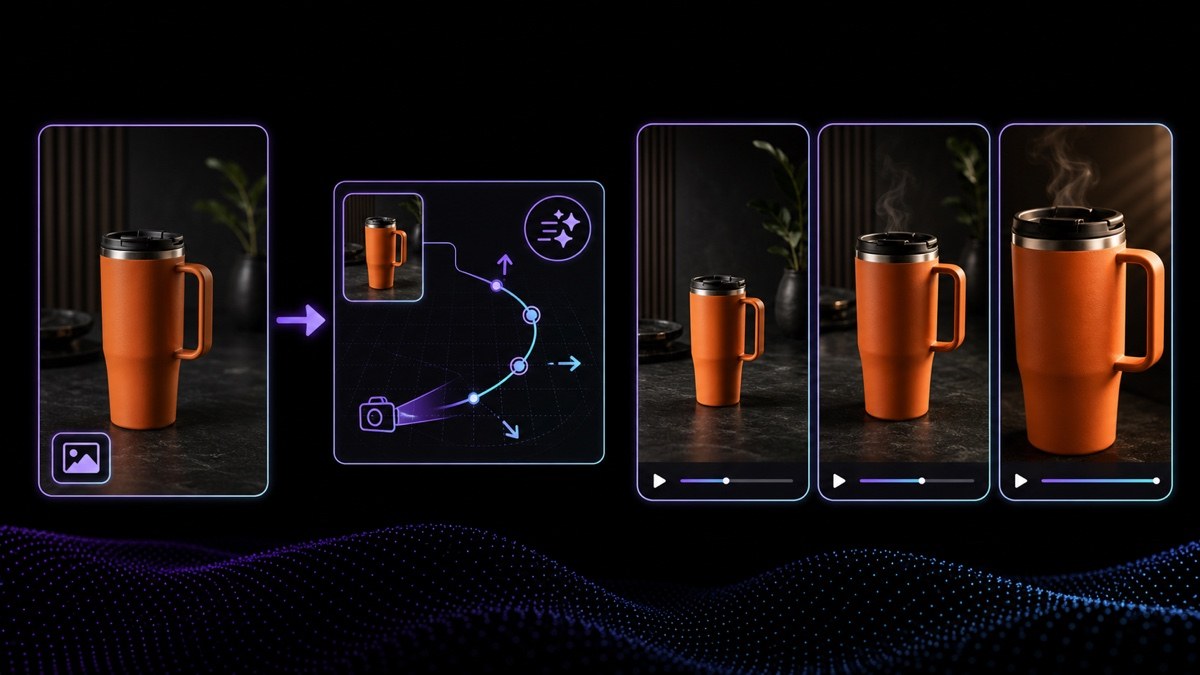
納品素材が製品の静止画やロケーション写真だけ、というケースでも、Image to Videoなら「また同じスローズーム」ではなく、短くコントロールされた動きに変換できます。短尺動画を1か月分まとめて量産する現場では、これが「1枚の写真を切り抜いただけに見える10本」と「ちゃんと制作した10本」の差になります。アニメーション化するのは、クライアントが所有している、またはライセンスを取得している画像だけにしてください。人物が判別できるものも含め、事前に書面で確認しましょう。印刷用途で購入したストックライセンスは、有料SNS広告を必ずしもカバーしないためです。
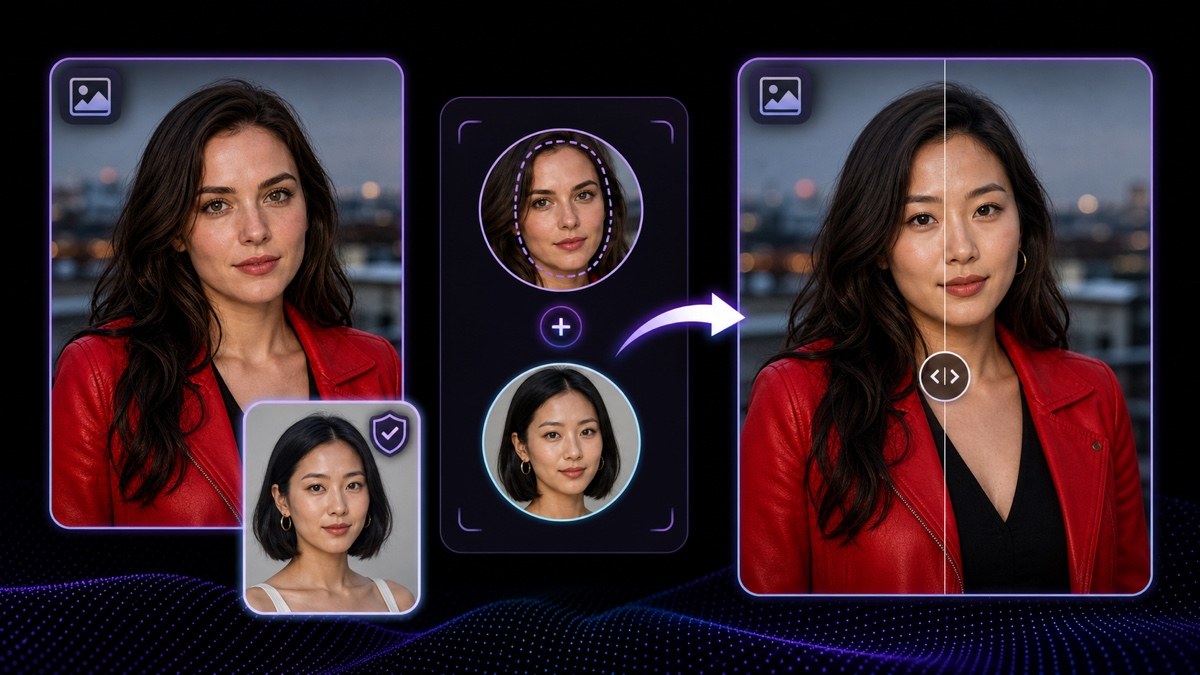
Face Swapは、元のライティングや構図を保ったまま、静止画の顔を許可されたポートレートに差し替えます。クライアントワークでは通常、複数の静止画にわたってスポークスパーソンを一貫させるために使います。要件は常に同じです。使用される本人が、その「特定の用途」への許可を出している必要があり、それを取得する当事者はクライアントです。許可なしに著名人、顧客写真、従業員の顔写真を使わないでください。また、同意書(リリース)は納品物と一緒に保管しておきましょう。
VisionStory AI Delivers Strong ROI with Fast, High-Quality Video Creation
I like VisionStory AI because it delivers strong ROI through intelligent automation. It helps me create high-quality video content much faster and at a lower cost than traditional production. The AI understands prompts well, produces natural results, and makes it easy to test creative ideas quickly.
AGAKI G.Small-Business · International Trade and Development
High-Quality Talking Videos at a Competitive Price
VisionStory is able to create high-quality talking videos at a very competitive cost. The video generation cost can be less than $1 per minute, while the final result is comparable to leading AI video models.
TLTony L.Small-Business · Animation
Easy-to-Use Tool, Ideal for Educational Content
I like that VisionStory AI is very easy to apply and extremely easy to use. You don't really need to know much about AI or these types of systems to get started. I also appreciate that it helps me a lot by simply saying what I want to generate, I make a brief speech or what the character is going to say and let VisionStory AI do everything. Moreover, the initial setup was very simple, as I did it through my Google account and it was extremely easy. Apart from a few details, it is an excellent application.
AMAaron Misael G.Small-Business · Animation
Podcast Feature That Auto-Splits Two Speakers—A Huge Time Saver
I love the podcast feature the best, although making other videos work great too. I can't believe that you can upload one audio file with 2 different people talking back and forth, and the program can automatically put the correct sections of the audio to the right character. That is such a time saver!
JHJill H.Small-Business · Entertainment
Fast, Efficient PPT-to-Video Creation for Training and Team Updates
What I like best about VisionStory AI is its PPT-to-video feature. As a technical team leader, I often need to create internal training materials, project updates, and presentation videos for my team. VisionStory AI lets me turn slides into video content much faster, without having to spend extra time recording, editing, or coordinating production resources. Overall, it makes knowledge sharing and internal communication far more efficient.
YDYanlong D.Mid-Market · Computer Software
VisionStory Turns PPTs into Ready-to-Use Presentation Videos in Minutes
In my daily work, I often need to present slides in video format, and VisionStory handles that perfectly. I just upload my PPT, add my own photo and voice, and it quickly creates a presentation video that’s ready to use. It saves me a lot of time and really improves my workflow.



ユーザーはVisionStoryを愛しています
コンテンツクリエイターやマーケターがなぜVisionStoryをAI動画のニーズに信頼しているのかを発見してください。強力な機能から手間いらずのユーザー体験まで、私たちのコミュニティはVisionStoryで達成した結果について絶賛し続けています。