Turn Your Expertise into Course Videos, Memberships and Consulting Revenue
Build a paid knowledge offer instead of publishing disconnected educational clips. Start with a problem you can help a specific audience solve, organize it into a clear curriculum, and produce discovery videos, paid lessons and member updates from the same approved source material. This workflow is designed for coaches, consultants, educators and subject-matter experts who earn from course sales, private communities, subscriptions or advisory services. VisionStory helps produce the videos; you still own the expertise, pricing, customer relationship and learning outcome.
For coaches, consultants, educators and specialists who can help a defined audience reach a specific result through structured instruction.
What you start with
A Curriculum and Verified Source Material
Bring your framework, lesson outline, slides, examples, exercises and the boundaries of what your experience can honestly support.
What you get
A Reusable Knowledge Video Library
Produce public discovery clips, paid course modules, onboarding lessons and recurring member updates from one controlled content system.
How Video Supports a Knowledge Business
Knowledge monetization works when free content attracts the right people, paid content solves a larger problem, and every lesson points toward a clear next step. Video is the delivery system, not the offer itself.
Package expertise around a result people will pay to reach
A collection of tips rarely feels like a course because learners cannot see the starting point, the sequence or the finish line. Before producing video, define the audience, the costly problem and the measurable change your program is designed to support.
Turn that promise into modules, lessons, exercises and checkpoints, then use one approved outline as the source for every script. This keeps the course focused on a customer outcome instead of becoming a large library of unrelated recordings.
Use public videos to attract qualified private-domain leads
Short educational videos can demonstrate how you think without giving every paid lesson away. Each public clip should solve one narrow problem, establish a credible point of view and direct interested viewers toward a relevant next step.
That next step might be an email lesson, webinar, consultation, private community or course page. Measure qualified sign-ups and sales conversations rather than judging the funnel only by views, because a smaller relevant audience can produce a stronger business.
Create paid lessons without recording every update from scratch
Courses become expensive to maintain when every correction requires the instructor, camera and editing setup to return. A reusable presenter, approved voice and consistent lesson template make small revisions easier while keeping the learning experience visually coherent.
Convert slides into presenter-led lessons, produce supporting demonstrations, and update only the scenes affected by a change. Review terminology, examples and claims before publishing so faster production never turns outdated advice into a permanent paid asset.
Expand one body of expertise into memberships and consulting
A course can be the beginning of the customer relationship rather than the final product. Recurring member briefings, implementation clinics, office hours and advisory packages give learners additional support when they need feedback or accountability.
Reuse the same approved knowledge base to prepare onboarding videos, monthly updates and client-specific explanations, while keeping private client information out of shared material. Price each offer around access, support and outcome instead of charging only for video length.
Knowledge Monetization Video Workflow
Use each capability for a specific stage: structure the paid curriculum, create discovery content, establish a trusted presenter and localize proven lessons for additional audiences.
Before selling or publishing, verify the lesson claims, examples, sources, customer permissions and any professional disclaimers your subject requires. Do not present generated people as real students or fabricate testimonials.
01
Turn your curriculum and slides into paid course lessons
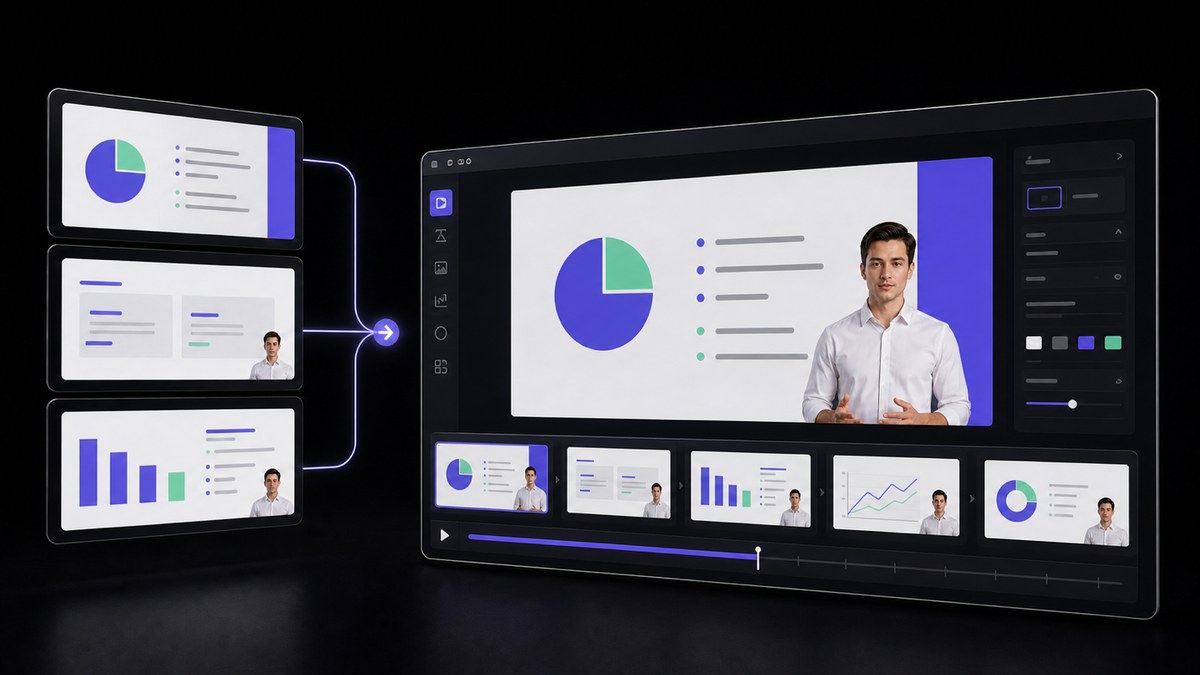
Import a finished deck, organize one learning objective per lesson, and convert the material into presenter-led video scenes. Review the narration page by page, add exercises or checkpoints, and confirm that every paid module advances the promised learner outcome.
Turn an existing deck, document or PDF into an avatar-led narrated presentation that keeps the original section order.
02
Create public discovery videos that lead to the paid offer
Adapt one useful idea from the curriculum into a concise social or YouTube video with a clear problem, practical insight and relevant next step. Keep the public clip valuable on its own while directing qualified viewers toward your course, community or consultation.
Turn a prompt, URL, PDF or script into an editable multi-shot video draft with an avatar, voiceover and captions.
03
Use a consistent presenter across lessons and member updates
Choose an approved presenter or create an avatar based on your own authorized image, then keep appearance, voice and framing consistent across the program. Review delivery and pronunciation so the presenter supports trust without pretending to be a student or customer.
Create a lip-synced presenter video from a selected avatar, script and voice.
04
Localize a proven course after the original offer converts
Translate validated lessons only after the source curriculum performs for its first audience. Review specialist vocabulary, captions, examples and cultural context with a fluent reviewer before selling the localized version in another market.
Yes. AI can help turn your slides, scripts and approved presenter into course lessons, discovery videos and member updates. The value still comes from your expertise, curriculum, support and the result customers can reasonably expect.
Common offers include paid communities, memberships, workshops, group coaching, consulting, templates and implementation support. Choose an offer based on how much access and feedback the learner needs, not simply how many videos you can produce.
Use public videos to solve narrow problems and demonstrate your point of view, then invite qualified viewers to an email list, webinar, consultation, private community or paid course. Track sign-ups, calls and sales rather than views alone.
Use your own authorized image when personal trust is central to the offer, or an approved AI presenter when consistency and update speed matter more. In either case, keep the identity stable and disclose synthetic media when the platform or context requires it.
No. VisionStory creates video files for you to review and download. You choose the course, community, email and payment platforms, set prices, manage customers and remain responsible for the accuracy and legality of the material you sell.
Users Love VisionStory
Discover why content creators and marketers trust VisionStory for their AI video needs. From powerful features to an effortless user experience, our community can’t stop raving about the results they achieve with VisionStory.
VisionStory AI Delivers Strong ROI with Fast, High-Quality Video Creation
I like VisionStory AI because it delivers strong ROI through intelligent automation. It helps me create high-quality video content much faster and at a lower cost than traditional production. The AI understands prompts well, produces natural results, and makes it easy to test creative ideas quickly.
AGAKI G.Small-Business · International Trade and Development
High-Quality Talking Videos at a Competitive Price
VisionStory is able to create high-quality talking videos at a very competitive cost. The video generation cost can be less than $1 per minute, while the final result is comparable to leading AI video models.
TLTony L.Small-Business · Animation
Easy-to-Use Tool, Ideal for Educational Content
I like that VisionStory AI is very easy to apply and extremely easy to use. You don't really need to know much about AI or these types of systems to get started. I also appreciate that it helps me a lot by simply saying what I want to generate, I make a brief speech or what the character is going to say and let VisionStory AI do everything. Moreover, the initial setup was very simple, as I did it through my Google account and it was extremely easy. Apart from a few details, it is an excellent application.
AMAaron Misael G.Small-Business · Animation
Podcast Feature That Auto-Splits Two Speakers—A Huge Time Saver
I love the podcast feature the best, although making other videos work great too. I can't believe that you can upload one audio file with 2 different people talking back and forth, and the program can automatically put the correct sections of the audio to the right character. That is such a time saver!
JHJill H.Small-Business · Entertainment
Fast, Efficient PPT-to-Video Creation for Training and Team Updates
What I like best about VisionStory AI is its PPT-to-video feature. As a technical team leader, I often need to create internal training materials, project updates, and presentation videos for my team. VisionStory AI lets me turn slides into video content much faster, without having to spend extra time recording, editing, or coordinating production resources. Overall, it makes knowledge sharing and internal communication far more efficient.
YDYanlong D.Mid-Market · Computer Software
VisionStory Turns PPTs into Ready-to-Use Presentation Videos in Minutes
In my daily work, I often need to present slides in video format, and VisionStory handles that perfectly. I just upload my PPT, add my own photo and voice, and it quickly creates a presentation video that’s ready to use. It saves me a lot of time and really improves my workflow.





Users Love VisionStory
Discover why content creators and marketers trust VisionStory for their AI video needs. From powerful features to an effortless user experience, our community can’t stop raving about the results they achieve with VisionStory.