Enablement teams write plenty down. The deck is thorough, the recorded call runs forty-one minutes, and both land in the week everyone is busiest, while a seller on a live call needs one accurate sentence inside two minutes. What decides whether that sentence is right turns out to be mechanical: how quickly an approved answer can be cut into something watchable, versioned, and reissued the next time the product moves.
Get the release into reps' hands the same week it ships
The feature goes live Thursday. Enablement gets the final spec on Tuesday, books a session for the following Wednesday, and half the team is at a conference. On Monday a rep on a renewal call describes the old limit, promises a setting that was cut in review, and the account manager spends the next week walking it back. Nobody skipped a step. The calendar simply ran out before the release did.
A module built from the release notes and the launch deck does not need a room or a date. AI Video Agent sequences the change, the reason for it and the objection it creates into an editable draft, and a presenter delivers it in five minutes rather than fifty. The bottleneck moves from scheduling to review, which is where you want it: product marketing reads the draft against the shipped build, corrects what the spec promised and the code did not, and the module goes out with the release instead of a fortnight behind it.
Rebuild the module that changed, not the library around it
The pricing model changed in March, one integration was retired in May, and the security section has been accurate the entire time. The enablement library is still a single sixty-minute product overview recorded last year by someone who has since moved teams. Correcting three minutes of it means either re-recording all sixty or leaving a note in the description saying which parts to ignore, which is how a library quietly stops being trusted.
Splitting product knowledge into one module per topic makes the edit proportional to the change. When pricing moves you regenerate the pricing module from the new script with the same avatar and the same voice, stamp it with a version and a date, and everything else keeps its sign-off. Because the presenter is generated rather than filmed, the replacement matches the eleven modules around it, so nobody has to weigh a visible mismatch against the cost of another recording day.
Stop letting ramp depend on who happened to be free
A rep starts on the ninth of the month, three weeks after the last cohort. There is no session scheduled until next quarter, so ramp becomes whoever has an hour: a senior seller who explains the platform brilliantly and skips the competitive picture, then a solutions engineer who goes four levels deeper than any first call needs. Six weeks in, the new rep knows the product through two people's habits and nobody can say which parts were missed.
An on-demand path of short modules gives every joiner the same product knowledge in the same order, whichever week they start. Each module has one owner and one approved script, so the competitive framing a new rep hears is the framing product marketing wrote rather than the one their buddy prefers. VisionStory hands back the video files. Assigning the path, gating the next module, running the knowledge check and keeping the record of who is certified stays in your LMS or enablement platform, which is the system anyone will ask evidence from.
Build the partner edition by subtraction, not by forwarding
The fastest way to produce a partner module is to export the internal one, which is also how the wrong three minutes end up outside your company. Your channel sells alongside four other vendors, a partner manager forwards the enablement module exactly as it stands, and somewhere in the middle of it sit next quarter's unreleased roadmap, the floor a regional director is allowed to discount to, a named account someone used as an illustration, and a competitive line written for a direct rep who can escalate to a specialist that afternoon. You tend to learn this happened from a shared prospect quoting a roadmap date back at you.
Write the partner edition as a deliberate subtraction from the approved master rather than a forward of it: same source material, same presenter, same running order, minus four categories that should not leave the building. Anything unreleased comes out. Internal pricing floors and discount authority come out. Named-account detail comes out. So does any competitive framing that only holds up when a specialist is one message away. Because the library is already cut by topic, producing that edition means rewriting one module rather than booking an hour of recording, and the version a partner rep watches is one your product marketing owner can point at and vouch for.
Get the forty-page deck watched instead of archived
The deck is not the problem. It took three weeks, it is accurate, and it has the positioning, the competitive grid, the discovery questions and the pricing logic in the right order. It is also forty-one slides, and a seller opens it the way sellers open decks: skim to the battlecard, screenshot two slides, close. The narrative that made the middle section make sense only ever existed in the voice of whoever presented it live.
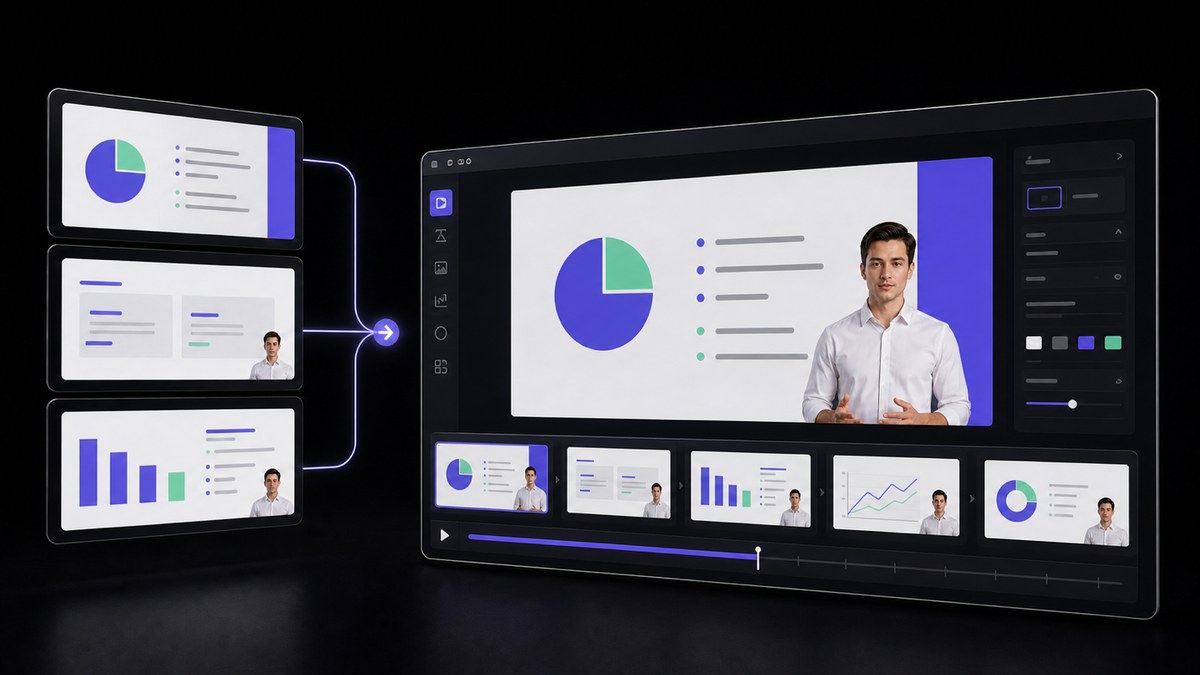
Turning that deck into a narrated video puts the missing voice back on the file. AI Presentation keeps your original section order, so the argument still builds the way the author built it, and each slide gains the sentence the presenter used to say out loud. Cut it into topic-length pieces and the deck stops being one long asset nobody finishes. Reps watch the section they need before a call, and the slides go back to being a document you send afterwards rather than the thing that teaches.




Users Love VisionStory
Discover why content creators and marketers trust VisionStory for their AI video needs. From powerful features to an effortless user experience, our community can’t stop raving about the results they achieve with VisionStory.