What goes in and what comes out

Who it is for

Independent podcasters and hosts

Interview creators and expert-led shows run by one creator or a small team; multi-show editorial operations belong with Media Production Teams.

What you start with

A topic, script, PDF or recording

Interview notes or an existing audio episode work too. No cameras, studio or recorded footage required.

What you get

Two-host video episodes

Captions, reusable show artwork and host voices, captioned promo cutdowns for social feeds, and dubbed language editions.

What podcasters get out of it

If you run a show, the gap between 'we should do video' and actually publishing video episodes is usually money and logistics, not ideas. Here is what changes when the show runs through this workflow, and which production costs it quietly removes.

Pilot a show format before you build a studio

Most podcast formats fail in ways you can only see, not plan around: two hosts talking over each other, a question segment that runs twice as long as it should, visuals that stop changing after the first minute. The usual way to discover this is expensive: book a studio, record three episodes, and find the problem in the edit.

A pilot episode flips that order. Generate one complete episode from your topic or script, watch how the host roles, pacing and structure actually hold up on screen, and fix the show itself before a single piece of equipment is bought. By the time the format earns a studio, you know exactly what you are building.

Turn an audio-only podcast into video for YouTube

Your back catalog is full of episodes that only exist where audio lives, in podcast apps, while the biggest discovery surface for shows, YouTube, never sees them. Re-recording old conversations on camera is not a real option, and static waveform videos convince nobody.

This workflow takes the recording you already have and rebuilds it as a two-speaker video: speaker switching, captions and host visuals over the original dialogue. Every episode becomes a landscape full episode for YouTube plus captioned cutdowns for social feeds, so the work you have already done starts reaching people who would never open a podcast app.

Build a show system you can reuse every week

The exhausting part of a weekly show is rarely the conversation. It is everything around it: cover art gets redesigned, layouts drift, a guest episode suddenly looks different from last week's, and every small visual decision comes back every single week.

Lock the system once instead. Cover art, host likenesses, voice roles and on-screen layout become fixed assets, and only the topic material changes per episode. The design work disappears from the weekly loop, and a first-time viewer can tell who is asking and who is answering within seconds.

Give listeners the show in their own language

Most shows never localize, because the honest options are bad: re-recording an episode in a second language is unrealistic, and auto-captions on the original audio feel like an afterthought to the audience receiving them.

Dubbing a reviewed episode changes the economics. Any of 88 languages, with who speaks when, the conversational pacing and the on-screen structure all preserved, so each market gets the complete show with the same host dynamic. You review the master once, then let approved editions carry it to audiences you could never record for.

Salvage interviews recorded in imperfect rooms

Great guests rarely come with great audio. Remote calls, echoey home offices and laptop microphones have ended more interview episodes than bad questions ever did: the conversation is good, but the recording feels unusable.

Cleaning noise out of the source track first changes what counts as publishable. Once the dialogue is clear, it moves through speaker assignment, captions and visualization like any studio recording, and an episode you would have shelved becomes part of the catalog.
How podcast creators use VisionStory

Start from whatever you already have. Each step below maps one VisionStory capability to a single output, and tells you what to feed it and what to check before publishing.

  1. 01

    Build the two-host episode structure

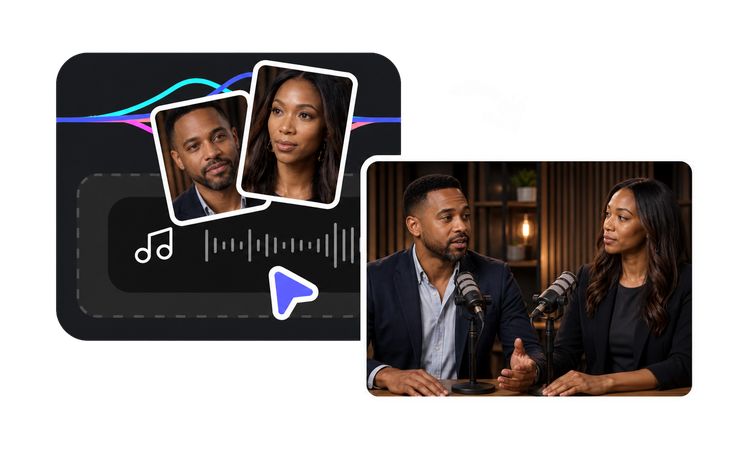
    Use Video Podcast to turn a topic, script or existing audio track into a visual conversation with host roles, camera switches and captions. From a topic or script it writes and stages the two-host dialogue from scratch; from uploaded audio it visualizes the episode you already recorded. After generating, check role assignment, interruption points and whether the camera switches feel natural.

    Feature Video Podcast
    Video Podcast
    Create a two-host video podcast from a topic, script or existing audio.
  2. 02

    Create show artwork, host portraits and topic imagery

    Use the AI Image Generator to build a fixed cover and host visual for the show, then add episode-specific scene and concept images that match each topic. Keep imagery tied to the guest, the issue or the story being discussed, not generic stock-style material that has nothing to do with the conversation.

    Tool AI Image Generator
    AI Image Generator
    Create related cover art, characters, scenes and supporting visuals from prompts or references.
  3. 03

    Give each host a distinct, listenable voice

    Use the AI Voice Generator to pick two voices from a library of 1,000+ with clearly different timbre and pacing for questions, explanations and responses, so listeners can tell the speakers apart by ear alone. Preview names, technical terms and emotional lines segment by segment, and only use voices for roles and content you hold the rights to.

    Tool AI Voice Generator
    AI Voice Generator
    Generate natural voiceovers with a selected voice and language.
  4. 04

    Clean up interview audio before it goes on camera

    When the source recording carries room tone, hum or microphone noise, run it through Remove Noise first so the dialogue comes out clear and intelligible. Only then move on to speaker assignment, captions and visualization. A clean track makes every later step more accurate.

    Feature Remove Noise
    Remove Noise
    Reduce background noise while preserving clear, intelligible speech.
  5. 05

    Publish dubbed editions of the reviewed episode

    Use the AI Video Translator with the approved episode as the source file and generate dubbed versions that keep the speaker relationships, captions and on-screen layout intact. Before each edition goes live, have a native speaker check terminology, tone and how guest names are pronounced.

    Tool AI Video Translator
    AI Video Translator
    Create dubbed, lip-synced language versions from one approved source video.

Frequently asked questions

  • Yes. The Video Podcast feature builds host roles, camera switches and captions from a topic, a written script or an audio file you already have, no recorded footage needed. If the audio includes a guest, confirm you have the rights to use their voice and likeness before publishing.

Users Love VisionStory

Discover why content creators and marketers trust VisionStory for their AI video needs. From powerful features to an effortless user experience, our community can’t stop raving about the results they achieve with VisionStory.

See all reviews on G2
