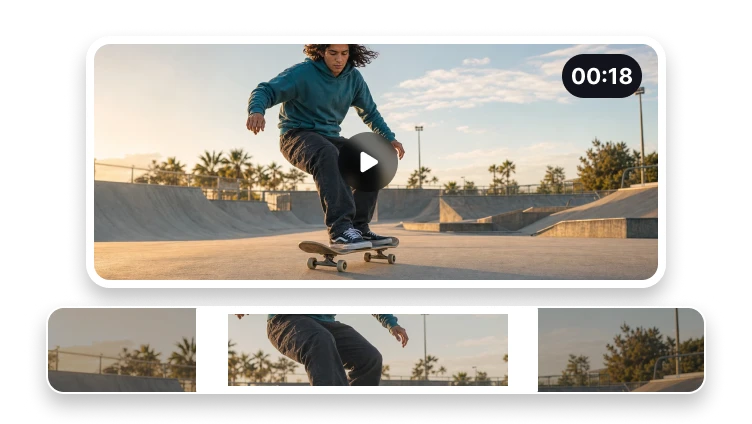
Crop a Video for Any Frame
Choose the visible area and aspect ratio for vertical, square, or landscape output.

Upload a video to crop
MP4, MOV, WebM, or M4V · up to 500 MB
Choose the visible area and aspect ratio for vertical, square, or landscape output.
MP4, MOV, WebM, or M4V · up to 500 MB
Reframe video
Choose the frame that matches where the video will appear.
Preview the source frame.
Choose aspect ratio, rotation, and scale.
Export and inspect the reframed video.
Complete in VisionStory
Video cropping removes pixels outside a selected frame so the same footage can fit a vertical, square, or landscape destination. It changes what viewers see in every frame, not how long the clip plays.
Actual crop video processing, result inspection, and download happen in VisionStory. The current handoff may require the source file to be selected again.
Check the properties that define a successful crop video result and retain the original until the destination accepts it.
Confirm moving-subject framing across the full clip in the intended destination before approval.
Decision guide
A centered crop can cut off a person, product, caption, or important action when a landscape source becomes vertical.
If automated subject tracking exists, it must be verified before mention.
Change the visible area and aspect ratio of a video for vertical, square, or landscape placement without changing the selected duration.
Keep moving-subject framing across the full clip as the central decision and route neighboring tasks elsewhere.
Problem diagnosis
A vertical social clip may require all three, yet each step should remain explicit.
Owns spatial reframing and aspect ratios. It must not target time trimming, image cropping, compression, or generic social video editing.
Preserve the source whenever moving-subject framing across the full clip remains unverified.
Publishing formats
Prepare framing for social posts, feeds, and players.
Frame clips for stories, reels, and shorts.
Create a centered feed-friendly crop.
Prepare a widescreen video frame.
No. Cropping changes the visible frame, while trimming changes the time range.