Crop Images to the Exact Frame You Need
Use cropping to remove outer areas and change composition, not merely to scale every pixel.
Choose an image to crop
JPG, PNG, WebP or HEIC · File limit: 1 · 10 MB per file
Use cropping to remove outer areas and change composition, not merely to scale every pixel.
JPG, PNG, WebP or HEIC · File limit: 1 · 10 MB per file
Composition and framing
See how the same source can be reframed for square, landscape, widescreen, and vertical layouts.
Frame products, profiles, and grid posts.
Keep more height for editorial and presentation images.
Prepare covers, thumbnails, and slide visuals.
Center the subject for Stories, Reels, and mobile creative.
Choose the destination frame before deciding what the image can lose.
Export in VisionStory
Prepare your crop here, then continue to VisionStory. Recheck the frame and subject placement before exporting and reviewing the cropped image.
The next step may require another selection and crop confirmation after the VisionStory workspace opens.
Check retained content, dimensions, rotation, format, bytes, and destination placement before publishing.
Approve the result only after crop geometry and subject framing are checked in the named player, editor, upload form, publishing system, or other intended destination.
Framing choice
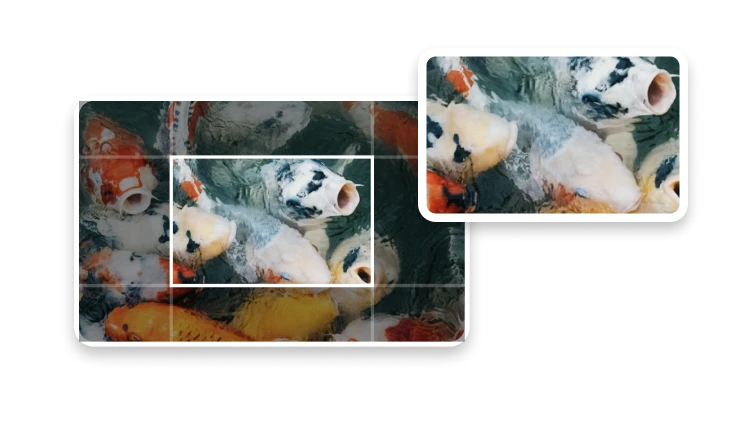
Cropping removes pixels outside a selected region. Use resizing when every part of the picture should remain visible at a different resolution.
Draw a custom frame when the composition matters more than a standardized destination shape.
Choose a square, vertical, or widescreen frame before positioning the subject and checking the space around it.
Use Image Resizer when every part of the picture needs to remain visible at a different resolution. Cropping removes content outside the frame.
Crop anatomy
Aspect ratio describes the frame; pixel dimensions describe the output grid. Crop position determines which visual information survives.
Coordinates, width, height, and rotation make a crop reproducible only when the source and operation order remain known.
Check important content near every edge and account for overlays that the destination may place above the image.
Compare the exported crop with your intended composition. Check the edges for missing text, hands, products, or other important details.
Yes. Cropping removes pixels outside the selected rectangle, so the resulting width and height reflect the crop region.