Make a Music Video from Your Suno Song

Paste the public share link of a song you made in Suno. VisionStory pulls the audio, lets you pick the part you want — from a 15-second hook to a 10-minute track — and turns it into a music video with a singing character or a sequence of cinematic scenes.

Paste a Suno link


15s–10minsong section
9:16 · 16:9aspect ratios
2Kmax resolution
2video modes

Suno link to video

From Suno song to music video in four steps

No export, no editing timeline. The link is enough to get started.

01

Copy the song link

Open your song in Suno and copy its public share link.

02

Paste it into VisionStory

Paste the link and VisionStory extracts the audio. Prefer a file? Upload an MP3 or M4A, or a video with the soundtrack (MP4, MOV, or WebM), up to 100 MB.

03

Pick the best part

Drag the selector to choose a continuous section from 15 seconds up to 10 minutes — the hook, a verse, or the whole song.

04

Choose a character and generate

Use a photo avatar or build a character from 1–10 photos, pick a video mode, and generate in 9:16 or 16:9.

Two ways to turn the track into video

Choose a straight performance or let the music agent direct a short film around your song.

  • Two ways to turn the track into video

    Lip-sync Performance

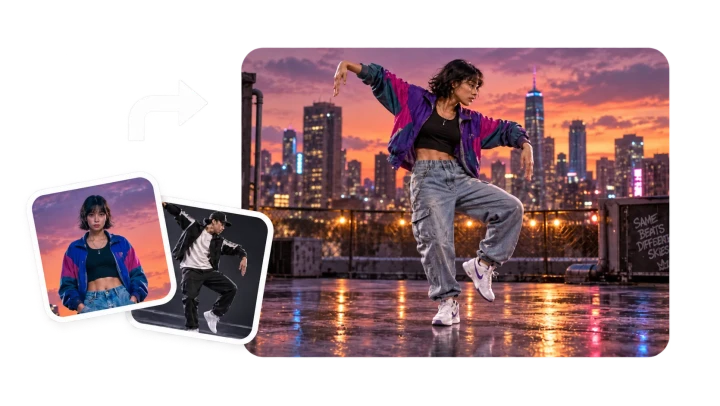
    Your character sings the section on camera in its original setting, with the mouth following the vocals. The fastest route to a clean singing clip.

  • Two ways to turn the track into video

    Cinematic Story

    The music agent reads the song's rhythm, mood, and structure, then builds a sequence of scenes you can review and edit clip by clip before the final render.

Output

Sized for Shorts, Reels, TikTok, and YouTube

Pick the format before you generate, so the video is ready to post without re-cropping.

9:16

Vertical

Full-screen for TikTok, Instagram Reels, and YouTube Shorts.

16:9

Widescreen

For YouTube uploads, websites, and embeds.

720P–2K

Resolution

Choose the quality you need; Cinematic Story renders in 1080P or 2K.

15s–10min

Section length

Build the video around the hook, the chorus, or the full track.

Before you publish

Use songs you have the rights to

VisionStory is an independent video tool. It is not affiliated with, sponsored by, or endorsed by Suno.

Public share links only

VisionStory reads the audio from the public link you paste. It does not connect to or access your Suno account.

Check your song's usage rights

Only use music you created or have permission to use, and review Suno's terms for your plan before you monetize the video.

Get consent for real faces

If your character is based on a photo of a real person, make sure you have their permission to use their likeness.

Suno Music Video FAQ

  • No. VisionStory is an independent video tool and is not affiliated with Suno. You bring a song you made in Suno — by pasting its public share link or uploading the audio — and VisionStory turns it into a music video.