What goes in and what comes out

Who it is for

Previs, directing and development teams

Previs artists, directors and their assistant directors, production designers and development producers deciding how a sequence should be staged and whether it is worth building.

What you start with

Script pages, boards and your own art

The scene as written, the storyboard panels, concept art, location stills and any reference you hold the rights to use. VisionStory does not clear third-party footage or artwork for you.

What you get

A watchable version of the sequence

Shots assembled in order with scratch narration, at a fidelity built for decisions: enough to judge blocking, rhythm and coverage, and enough to show a financier what the film looks like moving.

What changes when the sequence exists before the shoot

A production's most expensive decisions get made in a room where nobody can see the thing being decided. The set gets approved from a plan view, the sequence gets scheduled from a page count, and the first time anyone watches it is on a monitor with a crew standing around waiting. AI film previsualization moves that first viewing earlier: by the time the build order goes out, the corridor has already been walked on screen and the argument about it is finished.

See the set before you sign the build order

The production designer has a plan view, an elevation and three pieces of concept art, and the question on the table is whether the corridor needs to be a full build or whether a partial with a wall float will hold. Everyone in the room is arguing from imagination, and the imaginations do not match. The number attached to the answer is the largest line in the build budget, and the decision has to be made this week because the stage is booked.

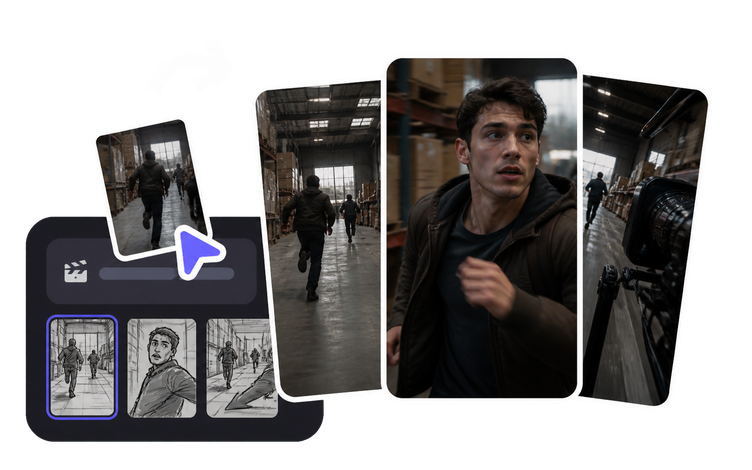
Turning the concept art and the boards into moving shots puts the same picture in front of everyone before the money moves. The camera walks the corridor at the length it is actually written for, and the argument stops being about what people imagine and starts being about what is on screen: the wall is one beat too short, the reveal lands before the actor arrives. VisionStory generates the shots from your own art and prompts; it does not model the set, and the build decision stays with the designer and the line producer.

Give a financier something to watch, not something to picture

The meeting is in nine days and the package is a script, a lookbook and a mood reel cut from other people's films. Everyone in the room has read more scripts and seen more mood boards than they can remember, and the question they keep asking in different words is the one the package cannot answer: what does this actually look like when it moves. A borrowed clip from a film with a different budget and a different director answers it wrongly, which is worse than not answering.

A concept video for the pitch answers it with your own material. Two or three minutes built from your boards and concept art, cut in the order the film opens, with a scratch voice carrying the premise, shows tone, scale and pace in a form the room can react to instead of imagine. Keep it honest about what it is: a previs pass, not a proof of finished craft. Label it in the deck, and make sure every image inside it is yours or licensed for the use, because a pitch reel travels further than you planned.

Find the timing problem in the animatic, not on the day

On paper the sequence works. The reveal is on page 34, the reaction is on page 35, and the whole thing reads as three quarters of a page of screen time. On the day it turns out the actor needs eleven seconds to cross the room, the reveal lands while the camera is still moving, and the coverage that was supposed to bridge the two shots does not exist because nobody knew it was needed. The unit is now solving a rhythm problem with the clock running.

An animatic makes duration visible. Once the shots sit in order at their real lengths with scratch narration over them, the sequence has a running time you can watch rather than estimate, and the gaps announce themselves: the cross is too long for the music, there is no shot to cut to on the reaction, two setups are doing the same job. Fixing that in previs costs a rebuild of a few shots. Fixing it on the day costs the day. The version you watch is a decision tool, and it stops being useful the moment it is mistaken for a plan nobody may revise.

Put three versions of the same scene side by side

The director wants to open on the wide and let the room do the work. The DP wants to start tight on the hands and pull out. The editor, who has cut this kind of scene before, thinks the scene actually starts two beats later than anyone has written it. All three are defensible, none of them can be settled by describing them, and the traditional answer is to pick one, shoot it, and find out in the edit.

When building a second version does not mean booking another block of artist days, you stop choosing between them on argument. Build all three, watch them back to back, and the discussion changes shape: it is no longer whose instinct is better but which cut holds attention through the middle. Keep the variants labelled and dated, because three near-identical versions of the same scene are easy to confuse a month later, and the one that gets scheduled should be the one the director actually approved.

Know exactly where previs stops

Somewhere between the fourth version and the pitch, a previs reel starts getting treated as something it is not. A shot gets pasted into a deck without a label. A financier asks whether that is from the film. An executive producer starts giving notes on the lighting. The reel was built to answer whether a sequence works, and it is now being read as evidence of how the finished film will look, which is a promise nobody on the production has made.

Drawing the line early keeps previs useful. Push the fidelity only as far as the decision needs: a blocking test can stay rough, a pitch reel earns a cleanup and an upscale because it is going in front of people who do not know the conventions. VisionStory hands back the files; the directing team and the producer decide what leaves the room, what carries a previs card on the front, and what is retired once the sequence is actually shot. Anything showing a real person's face or voice needs that person's permission before it goes anywhere, including internally.
How previsualization teams use VisionStory

Every pass below is built to be overturned. That is what previs is for: a version exists so someone can watch it and say no while saying no is still cheap, and nothing here survives on the grounds that it already exists. The material going in is the scene as written and the art you already own; what each stage hands back is a draft the director and the producer are free to reject. Where a step raises something that has to be settled before the sequence is scheduled, shown outside the production or read as more than a working version, it is flagged at that step.

Before the sequence enters production, the directing team and the producer confirm that the previs is used for internal decisions and pitching only, never as finished footage, and that every image, likeness and piece of reference inside it is cleared for the way it is being shown.

  1. 01

    Turn the scene into a sequenced first pass

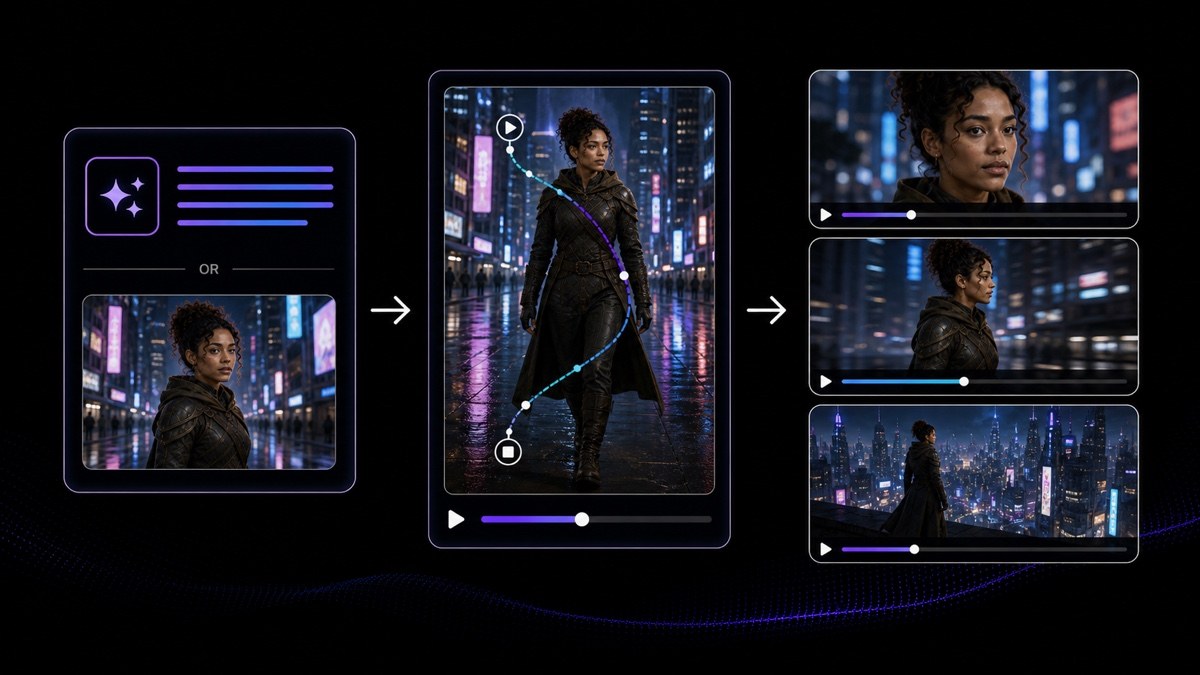
    Give AI Video Agent the scene as written, the beat sheet or the treatment, and it returns an editable multi-shot draft with the shots sequenced and the narration written. Read it as a structured starting point, not as a director's plan: it proposes an order and a rhythm, which is exactly the thing you want to argue with. The previs supervisor and the director then reorder, cut and rewrite against the boards and the schedule before any shot is generated at length.

    Feature AI Video Agent
    AI Video Agent
    Turn a prompt, URL, PDF or script into an editable multi-shot video draft with an avatar, voiceover and captions.
  2. 02

    Generate the shots that carry movement

    AI Video Generator builds individual shots from a prompt or a reference image, which is where camera movement, staging and scale get tested. Describe the shot the way you would brief it, then watch what comes back at its real length rather than as a still. Expect to iterate; the first result rarely matches the intent, and rebuilding a shot is cheap enough that the honest response to a near-miss is another pass. Judge these on blocking and duration, not on finish.

    Tool AI Video Generator
    AI Video Generator
    Generate motion-rich video shots from a prompt or reference image.
  3. 03

    Fill the gaps the boards never reached

    Boards rarely cover every frame, and the shots that are missing tend to be the ones nobody could draw quickly: an establishing view of a city that does not exist, a prop the art department has only described, a location at an hour you have never seen it. AI Image Generator produces those frames so the sequence has something in every slot. Keep them consistent with the concept art you already approved, and keep a note of which frames are generated, because the art department will ask.

    Tool AI Image Generator
    AI Image Generator
    Create related cover art, characters, scenes and supporting visuals from prompts or references.
  4. 04

    Put the boards and the concept art into motion

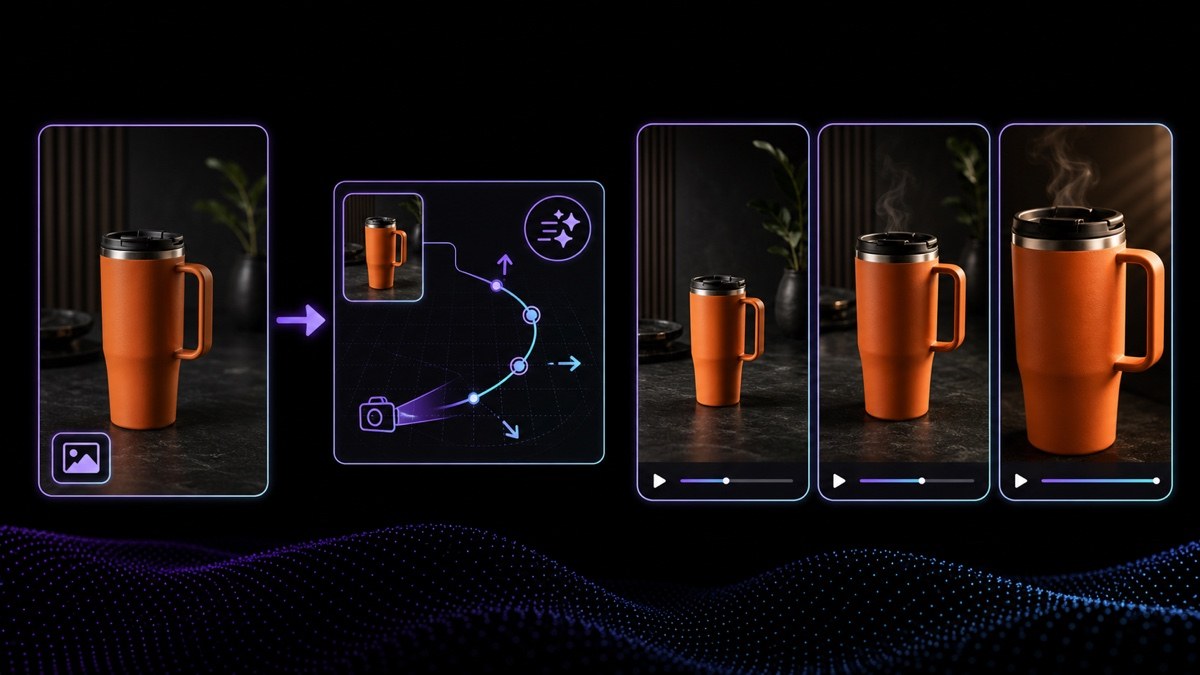
    The strongest images in a previs pass are usually the ones your own artists made. Image to Video takes a board panel, a concept painting or a location still you hold the rights to and gives it controlled motion, so a static frame becomes a shot with a push, a drift or a parallax move. This is how a lookbook turns into something with a running time. Only bring in images you own or have licensed, and confirm any recognisable person in them has agreed to the use.

    Tool Image to Video
    Image to Video
    Animate one approved portrait, product or scene image into a short video clip with controlled motion.
  5. 05

    Lay a scratch track over the cut

    A silent animatic is hard to time. AI Voice Generator lays down scratch narration, temp dialogue or a pitch voice-over in a chosen voice and language, drawing on 1,000+ voices across 88 languages, so the sequence has the pacing that speech actually imposes on it. Timing a scene against real spoken lines catches the problem a page count hides: the line is longer than the shot. Treat the voice as temp, and never use it to imitate a specific performer without that performer's permission.

    Tool AI Voice Generator
    AI Voice Generator
    Generate natural voiceovers with a selected voice and language.
  6. 06

    Clean up only the version that leaves the room

    An internal blocking pass does not need to look good; a reel going to a financier does. AI Video Enhancer clears blur, noise and compression damage without touching the timing or the audio, so the cut you approved stays frame for frame the cut you show. Run it on the pitch version and the sequences that go into a deck, and leave the working passes alone. Cleaning up every iteration wastes the thing previs is for, which is speed of revision.

    Tool AI Video Enhancer
    AI Video Enhancer
    Restore blur, noise and compression damage in existing footage without changing its timing or audio.
  7. 07

    Deliver the pitch version at a size that survives the room

    The reel that plays on a laptop looks different on a screening room projector, and soft previs looks softer the larger it gets. AI Video Upscaler takes the approved pitch cut up to a cleaner master, as high as 4K, so it holds together on whatever the meeting has. Do this once, at the end, on the version the director signed off. Resolution does not make previs into finished footage, and the label on the front of the reel still has to say what it is.

    Tool AI Video Upscaler
    AI Video Upscaler
    Upscale an existing low-resolution video for a sharper delivery master, up to 4K.

Frequently asked questions

  • Storyboards fix composition; previsualization fixes time. A previs pass puts the shots in order at their real lengths so you can watch the sequence rather than read it, which is the only way to test rhythm, coverage and whether the staging holds. AI previsualization keeps that purpose and changes the cost of producing it: the shots come from your script, boards and concept art through generation rather than through weeks of hand animation, so more of the film gets a previs pass instead of only the two most expensive sequences.

Users Love VisionStory

Discover why content creators and marketers trust VisionStory for their AI video needs. From powerful features to an effortless user experience, our community can’t stop raving about the results they achieve with VisionStory.

See all reviews on G2