Two numbers decide how much of a catalog ever gets video: how many SKUs a season adds, and how many a shoot day can cover. The distance between them is where the long tail lives, and it is why a slow-selling accessory has a carousel of stills while the homepage piece has a film. Making the image library the input instead of the calendar changes which products are worth a video, and it changes what your own team spends its hours checking.
Give the whole catalog a video, not just the hero SKUs
The spring drop is 380 SKUs. The studio day on the calendar will cover maybe thirty of them, and everyone in the room already knows which thirty: the ones on the homepage, the ones the buyer is nervous about, the ones the marketplace account manager asked for. The other 350 go live with a carousel of stills, and the merchandiser who asked for video on them in March asks again in June.
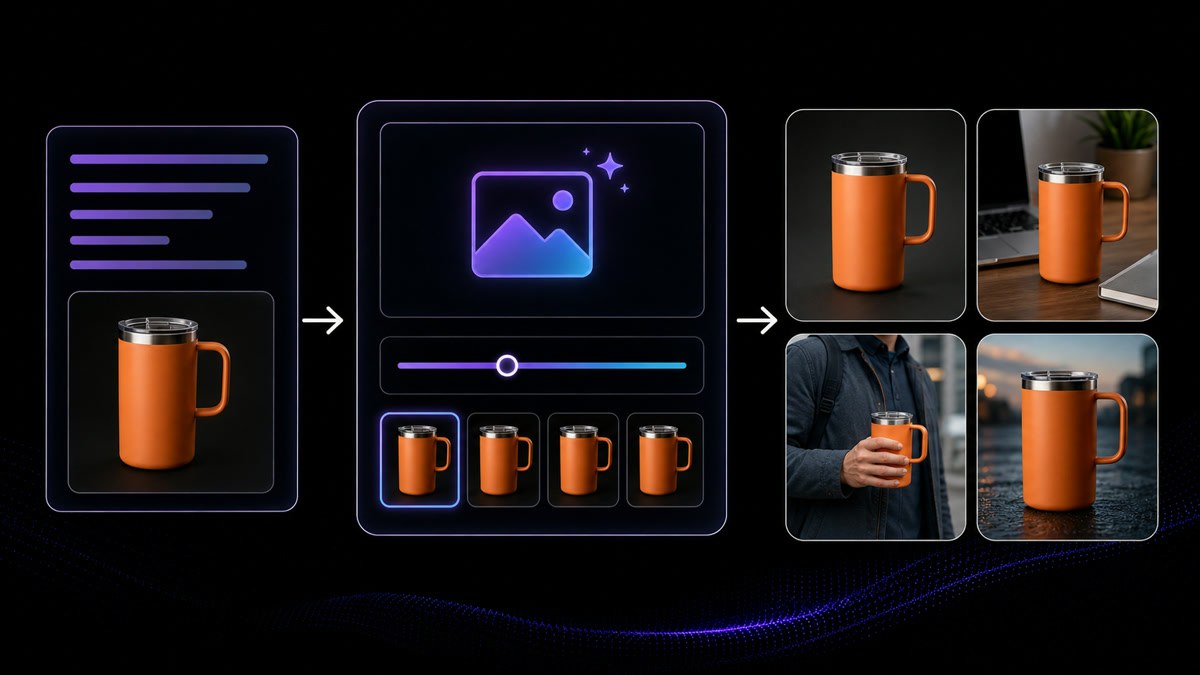
The constraint changes when the input is the image library rather than the calendar. Every SKU in the system already has packshots; a product image becomes a short clip with controlled motion, and a creator-style demo can be built around the same asset. Production stops being a booking and becomes a queue you work through, which is what makes video on a slow-moving accessory worth doing at all. It is still your team that checks each file before it reaches a listing.
Work from the packshot when there is nothing else
Half the catalog has never been in front of a camera you control. The supplier sent a folder of JPEGs, the white background has a grey cast, the resolution is whatever their factory photographer exported three years ago, and there is no model shot, no lifestyle frame and no B-roll of anyone holding the thing. Booking a shoot for a twelve-dollar accessory is not going to be approved, so the listing keeps the JPEGs.
That folder is more usable than it looks once it is repaired rather than replaced. Upscaling recovers detail and usable size from a low-resolution supplier file, background removal lifts the item off its original backdrop and onto a clean or branded one, and the result is a still worth animating. From there the same image drives a short motion clip or a creator-style demo. What it cannot do is invent a feature the photos never showed, so anything the images do not prove still needs a real shot.
Decide what a variant actually needs
One jacket, six colorways, three sizes. The listing has eighteen variant combinations and the merchandiser wants to know whether each one needs its own video, because the marketplace shows a different image set per color and the paid team wants the green one specifically. Filming eighteen versions of the same garment was never realistic, so in practice one video gets shot on the black one and every other variant inherits it, including the color the customer is actually looking at.
Because each variant already has its own photography, each variant can have its own clip built from it, and the decision moves from what is affordable to what is worth doing. A common split is a full demo on the parent product and a short motion clip per color, so the shopper sees the version in front of them without eighteen near-identical assets to maintain. Sizes usually do not need their own video at all. Whatever you choose, the naming and the variant mapping stay in your product system, not in ours.
The long tail is where the catalog actually lives
The top twenty products get attention because they are easy to see. The rest of the catalog is where most of the work sits: the replacement part, the second-favorite scent, the size that fits a narrow group, the accessory that only sells alongside something else. None of them will ever justify a production budget alone, and each of them is a listing where a shopper has a question the photos do not answer and nothing else to consult.
Per-SKU cost is what decides whether the tail gets covered, and generating from images you already own is what brings that cost down to something a slow seller can carry. The practical effect is that the decision stops being which products deserve a video and becomes how quickly you can work through the list. Start with the SKUs where returns or pre-purchase questions cluster, since those are the listings where a thirty-second demonstration of fit, scale or assembly does the most work.
Every surface wants a different file from the same SKU
The same jacket has to appear on the store's own product page, on the marketplace detail listing, in the shopping feed and in a social storefront, and each of those surfaces has its own idea of what a product video is: how long it may run, what shape the frame is, whether the opening frame doubles as the thumbnail a shopper taps, whether captions are burned in or supplied as a separate file. One master edit letterboxed into all four is how a listing ends up with black bars on a phone, or how an upload fails validation on the afternoon the drop was meant to go live.
Because each SKU is generated rather than trimmed down from a single master, the batch can be built per surface: the same product, the same approved script, output in the length and shape each destination expects, with the first frame composed to survive being used as a still. That does not remove the checking, it moves it. Ratio, duration, file size, caption handling and thumbnail become a short list your team confirms per surface for the batch, item by item, against the specification each platform publishes now rather than the one someone wrote down last quarter.






Users Love VisionStory
Discover why content creators and marketers trust VisionStory for their AI video needs. From powerful features to an effortless user experience, our community can’t stop raving about the results they achieve with VisionStory.