What goes in and what comes out

Who it is for

Creators who post as a character

Solo creators running an account behind a virtual persona: an off-camera commentator, an animated host, a niche mascot, anyone whose audience follows the character rather than the person making it.

What you start with

A persona definition you own

A look you have settled on, a voice you are allowed to use, a posting rhythm and the scripts for the next few episodes. Any real face or recorded voice behind it needs that person's permission first.

What you get

Episodes that all look like one channel

Finished video files carrying the same face, the same voice and the same visual signature, delivered for you to review and publish on your own accounts.

What changes when the persona is treated as the asset

A virtual persona is not a costume you put on for one video. It is an account somebody else has to recognize in a feed, week after week, long after the novelty of the first upload has worn off. Once you accept that, the questions stop being about how good a single render looks and start being about what recognition is actually made of, what a quiet stretch costs, who else could operate the character, and what has to be declared before an upload goes out.

What people recognize in a feed is a kit, not a face

Watch how a subscriber actually finds you again. On a phone the thumbnail is barely wider than a thumb, the face inside it is smaller than a fingernail, and the decision to stop scrolling happens before anyone reads the title. What registers at that size is the crop you always use, the color nobody else in your niche has claimed, the title pattern that opens the same way every week, and the small move the character makes before it says anything. The face is one signal in that set, not the set itself.

So the thing worth defining is a kit rather than a portrait. Choose the crop, the color, the naming pattern and the opening beat once, write them down alongside the character, and every upload after that deposits into one account instead of opening a new one. The face and the voice are the two entries on that list that have to be technically held rather than merely agreed, and the mechanics of pinning them down shot after shot belong to the AI Character Video for Storytelling workflow under Media and Entertainment. On a channel, the rest of the kit is doing at least as much of the recognizing.

Deciding in advance what a quiet stretch is going to cost

Nothing dramatic happens on the day an account goes quiet. What happens is slower. The people who used to see the character every few days stop expecting it, the habit that made them tap without thinking loosens, and when the next upload finally lands it lands in front of a smaller room than the one you walked out of. A persona account feels this earlier than a personal one, because there is no offline relationship holding anybody in place. Nobody stays subscribed out of loyalty to someone they have met.

That makes cadence an operating decision rather than an apology written afterwards. When a week goes wrong there are two repairs available, and they are not equally cheap. Dumping a catch-up burst mostly tells the feed you are still irregular and buries your own uploads against each other. Moving the promise down to a rhythm you can hold in a bad month, and then holding it, costs one line in the channel description and buys back the expectation. A persona that is already defined makes the lower rhythm easier to defend, because a week's episode no longer depends on a quiet room, a free camera or you being presentable that evening.

A character can be handed over, licensed or continued without you

The difference between a channel and a job shows up the first time you want a month off. A character that exists as a written definition, a portrait, a voice and a short set of rules can be produced by a collaborator, lent to a brand for a campaign, or kept going by an editor while you are somewhere with no signal, because none of it lives only in your face or your calendar. Privacy is the other common reason people work behind a persona, and if not appearing on camera is the main thing you are after, the faceless YouTube channel workflow under Video Creators is the page built around that; this one treats the character as an asset that can change hands.

It is worth designing for early, because the honest test of whether you own an asset or a habit is whether somebody else could produce next week's upload from what you have written down. Keep the definition, the source files and the written permissions in one place, and decide in advance what a hand-off is allowed to include: whether a stand-in may write in the character's voice, whether the likeness travels with a sale, whether the audio can be reused outside the channel. The separation is also adjustable at the production end. Some creators perform the episode themselves and replace only the voice, so their timing and jokes survive while the sound that ships is the character's; others work entirely from a script and never appear at all.

The first brand deal asks questions the persona has to answer

A sponsor's legal team sends a short list before the contract: who owns this character, can it appear in a paid placement, can we use a still from the video in a banner, and what happens to the likeness if the partnership ends. Most creators meet these questions for the first time on a deadline, and discover that the character lives in a scattering of exports, prompts and one-off renders with no clear description of what it even is.

A persona you defined deliberately is easier to negotiate around. There is one description of the look and the voice, one set of source material behind it, and a clear answer about whether any real person's face or recorded voice is involved and what that person authorized in writing, which is the answer a sponsor's lawyer reaches for first. The rest is ordinary contract work: which placements the character may appear in, whether stills can be lifted out and reused elsewhere, how long the usage runs, whether the category is exclusive, and what happens to the material when the term ends. VisionStory produces the video and audio files and takes no ownership position in your character, your channel or your commercial terms.

Saying it is a character, to the audience and to the platform

Every large platform now has some version of a rule about synthetic media, and the versions do not match. One wants a label attached at upload, another wants the wording in the description, another applies the rule only when a real person or a real event is depicted, and several have changed their wording more than once. A persona account meets these rules on every upload rather than occasionally, so the workable habit is to write your disclosure line once, keep it in the upload template, and read the policy page of each platform you post on instead of assuming what applies on one applies everywhere. Any real face or recorded voice behind the character needs that person's written permission long before this question comes up.

The harder line is impersonation, and it does not move with the policy pages. A character is presented as a character. It is not given the name, the face or the voice of a real individual in a way that invites an audience to believe they are watching that person, and it does not sell, endorse or make claims while wearing someone else's identity. That holds even when the likeness was licensed, because permission to use a face is not permission to speak as its owner. VisionStory delivers files and cannot check any of this on your behalf, so both the disclosure and the impersonation call are made on your side before an upload goes out.

How virtual persona creators use VisionStory

Decide first what an audience is supposed to recognize, then keep every step below in service of holding that fixed. Each one notes which decisions stay with you: what the persona is allowed to be based on, and what actually gets published.

Before an episode goes out, you confirm that the likeness and the voice behind the persona are cleared by the people they belong to, that the upload meets the AI content disclosure rules of the platform you post on, and that nothing in it presents the character as a real individual.

  1. 01

    Define the character once and stop redrawing it

    This is where the persona stops being a mood board and becomes a fixed definition: a face, a look and a voice that stay recognizable from one video to the next instead of shifting every time you produce something. Settle it early, because everything downstream inherits it, and a change made in month six costs you the recognition you spent five months building. Write down what the character is based on at the same time, since that record is what you will need when a sponsor or a platform asks.

    Tool AI Influencer
    AI Influencer
    Build one recurring virtual persona with a fixed face, voice and look that stays recognizable across every video.
  2. 02

    Turn a script into an episode the character delivers

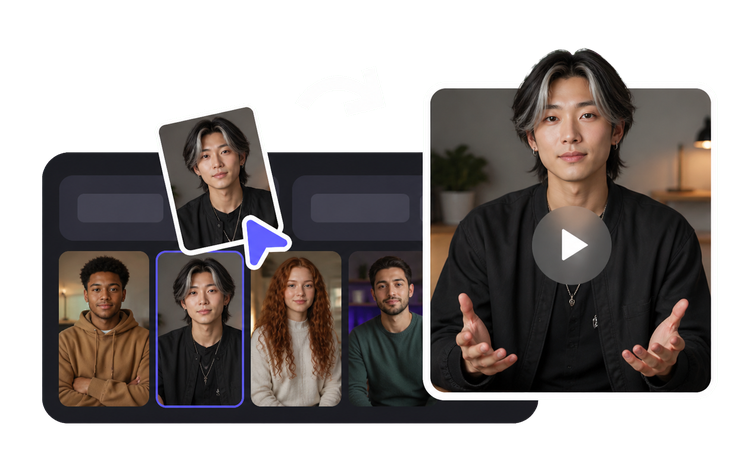
    Talking Photo takes a still portrait of your persona and a script and returns the character speaking it, with lip movement and head motion that read as natural rather than pasted on. This is the workhorse for a channel that posts commentary, explainers or reactions, because an episode becomes a writing task rather than a filming task. Keep the same portrait across uploads so the thumbnail stays familiar, and use only a portrait you have the right to use.

    Tool Talking Photo
    Talking Photo
    Make a single still portrait speak a script with natural lip-sync and head movement.
  3. 03

    Keep your timing, ship the character's voice

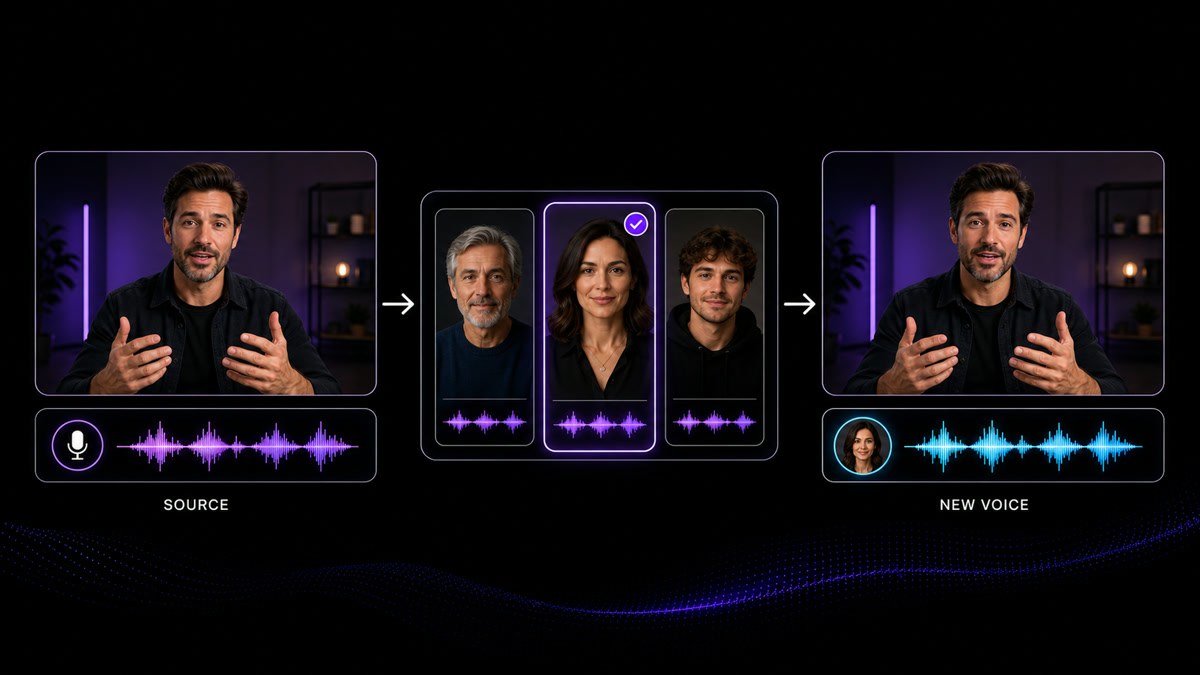
    When you would rather perform the episode yourself but not be heard, record it normally and run it through Voice Changer. It replaces the voice in an existing recording while the rhythm, emphasis and comic timing of your delivery stay intact, which is usually what makes a channel sound like a person rather than a script being read. The result should sound the same in every episode, so pick one voice and keep it, and make sure the voice you adopt is one you are authorized to use.

    Feature Voice Changer
    Voice Changer
    Change the delivered voice on an existing recording while keeping the original timing and performance.
  4. 04

    Give the channel something to look at besides the host

    A channel that is only a head talking gets visually monotonous by episode ten. Image to Video animates a still you already have the rights to into a short shot with controlled motion, which is how you get cutaways, openers and background moments without booking a camera. Use it for the scenery around the persona, and keep those shots consistent with the world the character lives in, since the setting is part of what people recognize just as much as the face.

    Tool Image to Video
    Image to Video
    Animate one approved portrait, product or scene image into a short video clip with controlled motion.
  5. 05

    Place the persona's face into a still you already have

    Face Swap works on static images: it puts an authorized likeness into a photo while the original lighting and composition stay as they were, which is useful for stills, covers and profile art that need the character in a setting you cannot stage. The authorization rule is not decoration here. Use it only with a likeness the person has agreed to, keep that agreement on file, and never use it to place a real individual in a situation they never consented to being shown in.

    Tool Face Swap
    Face Swap
    Replace the face in a still image with an authorized likeness, keeping the original lighting and framing.
  6. 06

    Make the character hold up at thumbnail size and full screen

    The portrait that looked fine at the size you first saved it often falls apart as a full-width thumbnail or a channel banner. Upscale Image raises the resolution and clarity of persona portraits, scene stills and cover art, so the same asset survives both a phone feed and a large screen. Doing this once on the core images pays off across every episode that reuses them, and it saves you from remaking the character just because the original file was too small.

    Tool Upscale Image
    Upscale Image
    Increase the clarity and usable size of portraits, product photos, thumbnails and reference images.

Frequently asked questions

  • Keep two lists. The fixed one is short and expensive to change later: the face, the voice, the name and the single visual signature people use to spot you in a feed. Almost everything else is allowed to move, and probably should. Topics narrow or widen, the intro gets shorter, the sets and the art style modernize, the episode length settles somewhere different from where it started, and an account that never changes any of that usually looks dated before it looks established. The practical test before changing something is whether a returning viewer would still know it is you with the sound off. If a change does touch the fixed list, treat it as a relaunch and say so on the channel, rather than letting the character drift over a few uploads and hoping nobody notices.

Users Love VisionStory

Discover why content creators and marketers trust VisionStory for their AI video needs. From powerful features to an effortless user experience, our community can’t stop raving about the results they achieve with VisionStory.

See all reviews on G2