What goes in and what comes out

Who it is for

Narrative and IP teams

Teams telling stories in episodes: character-driven short-form series, animated narrative, and brand IP characters that have to come back next month and still be recognized.

What you start with

A character you have already decided

A written character description or a reference image, your script or dialogue, and written permission for any real face or voice the character is built on.

What you get

A reusable persona and its shots

One fixed character profile plus the scene images, animated shots and delivery-size key art built from it, handed back as files for your own edit and release.

What changes when the character stops drifting

Character-driven work fails in a specific way. Not on the writing and not on the render, but at the moment a viewer stops believing that the person on screen in episode five is the person they met in episode one. Everything below is about holding that belief together across scenes, seasons and whoever happens to be doing the work that week, and about which part of it a workflow can carry and which part stays a decision somebody makes.

Episode nine still looks like episode one

Episode three goes up and the first comment underneath it is a question about whether that is the same girl from episode one. It is, technically. But the jaw is narrower, the hair parts on the other side and the eyes have gone a shade lighter, and once a viewer has noticed it they watch the face instead of the story. Re-prompting the description that worked in episode one returns a cousin, not the character.

The fix is to stop describing the character and start reusing her. A persona built once holds the face, the voice and the look as a fixed reference, and every later scene is generated against that reference instead of against a paragraph somebody rewrote from memory. VisionStory keeps the character recognizable; it does not decide who she is. You still write the character down, and you still watch the first frame of each new scene for the details that drift: wardrobe, hairline, the small scar that has to stay on the same cheek.

Write the dialogue scene as an edit, not a prompt

The beat is simple to describe and hard to generate: two characters at a table, one of them lying, the other working it out a second too late. Asked for as a single prompt, a multi-character scene comes back as two people talking at the camera at the same time, neither of them looking at the other, the pause that carried the whole beat missing. There is nothing in the footage to cut on, because the shot was never built to be cut.

Build the scene the way an editor would receive it. Each character gets their own shots, generated from their own locked profile, so the face stays constant while you decide who is on screen for which line and where they are looking when it lands. The turn-taking, the reaction that arrives late, the silence before the answer, those are cuts you make, not settings. VisionStory produces the shots and the voices; the rhythm that makes the scene work stays a directing decision.

A character is a set of rules, not a folder of screenshots

The person who knows the character is one freelancer, and what they know lives in a reference folder on their own laptop and in their head. The contract ends between seasons. The next person opens the archive, works backwards from stills, and guesses: is the jacket part of the character or was that just episode four, does she ever say the catchphrase in the first act, how old is she supposed to read. Ten episodes in, nobody can answer without scrolling.

Treat the character as four things that travel together: a face, a voice, a way of speaking and a short list of look rules that are not allowed to move. Held as one reusable persona with a named scene library beside it, that set hands over. A new collaborator opens the profile and generates the next scene from it rather than reverse-engineering the last one. The rules themselves are yours to write, and they are worth writing before episode two, not after episode nine.

When the character is built on a real person

Plenty of story characters start from somebody real: the founder who became the brand's mascot, an actor cast for a series, a colleague whose voice everyone already associates with the show. The yes that started all of it was given once, in a meeting, for a pilot nobody was certain would run past six episodes. Two seasons later the same face is fronting a paid placement in another market, in a language that person does not speak, and none of that was in the original conversation.

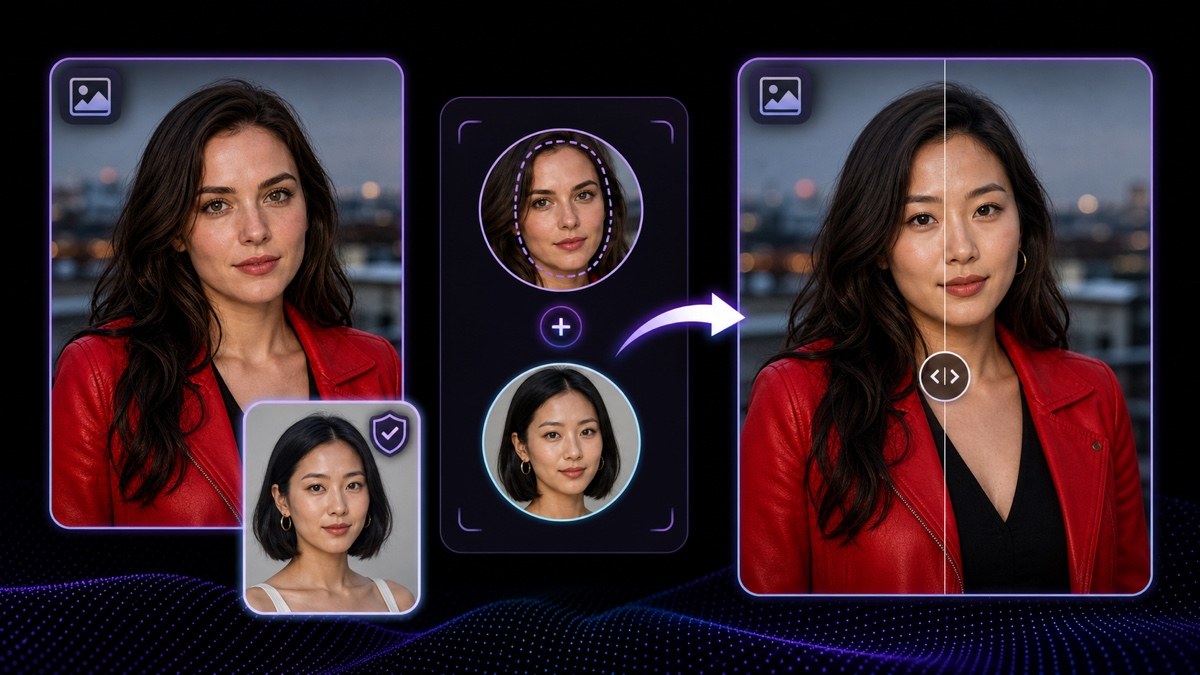
Permission is not a gate you pass once, it is a scope with edges, and the edges are exactly what a growing show keeps crossing. Written permission naming the character, the content, the markets and the period is what makes the work usable, so every expansion is a reason to go back and widen it before the frame is generated rather than after the campaign is live: a new season, a new territory, a paid placement, a spin-off, a partner brand. Inside that boundary the work is ordinary. A face is placed into a still image with the original lighting and framing kept, and a recorded read keeps its timing and emphasis while the delivered voice becomes the character's. Outside it, no workflow makes the footage publishable.

A speaking character is judged on the mouth and the eyes

A character sheet everybody approved can fall apart the moment the character has a line to deliver. The audience stops reading the picture and starts reading the mouth: whether the shape of it matches the consonant, whether the eyes are on the person being spoken to or somewhere just past the lens, whether the head keeps drifting after the sentence has already landed. None of that was visible in the still, and none of it is fixed by making the still better.

So treat a talking shot as a shot with a length, not a clip that runs as long as the audio does. A single continuous take of a generated character holds for a few seconds of speech before the small errors accumulate and the face starts to feel synthetic, which makes the honest answer to a long speech a cut: to the listener, to a reaction, to the hands, then back. Decide the eye line before you generate rather than arguing with it afterwards, keep each take short enough to stay clean, and cut on the line instead of stretching a shot past what it can carry. When a moment really has to run long, the fix is direction, not a longer render.
How character-driven teams use VisionStory

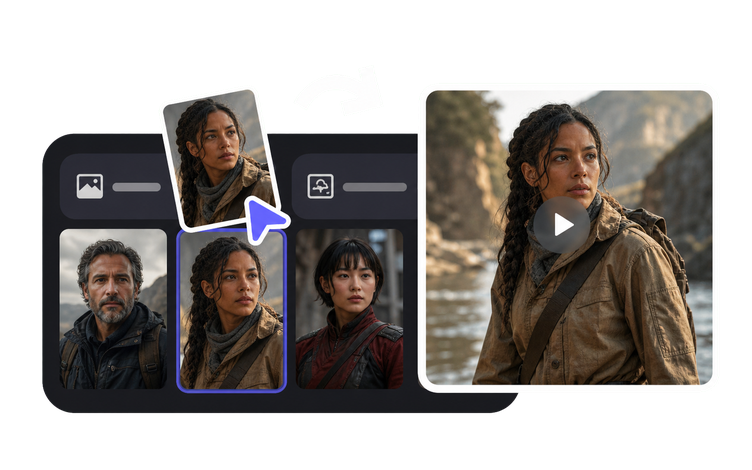
The short answer to how to make an AI character video is that the character gets settled first and everything after that is generated against it. A character profile is worth more than a character description, and the difference is what you put in it: one face, one voice, a way of speaking, and a short list of look rules that are never allowed to move. Settle those four things and most of what follows is execution. The six steps below also mark where a person still has to decide, especially around a real face or voice and around what finally goes out.

Before anything is published, the content lead confirms the scope of the permission behind the character's face and voice, that the source images and recordings were cleared for this use, and that a generated character is never presented as a real person.

  1. 01

    Fix the character before the first scene exists

    Build the character once as a recurring persona whose face, voice and look stay fixed in every video made from it, then treat that persona as the reference for everything downstream. In the product that persona is an avatar: one saved profile you point every later scene at, instead of a description you retype. Write down beside it what is not allowed to move: the age the character should read as, the hairline, the wardrobe rule, the accent, the two verbal habits that make the dialogue sound like her. VisionStory holds the persona steady across scenes. Deciding who the character is, and what makes her identifiable, is the part you own.

    Tool AI Influencer
    AI Influencer
    Build one recurring virtual persona with a fixed face, voice and look that stays recognizable across every video.
  2. 02

    Get the character moving before you build anything around it

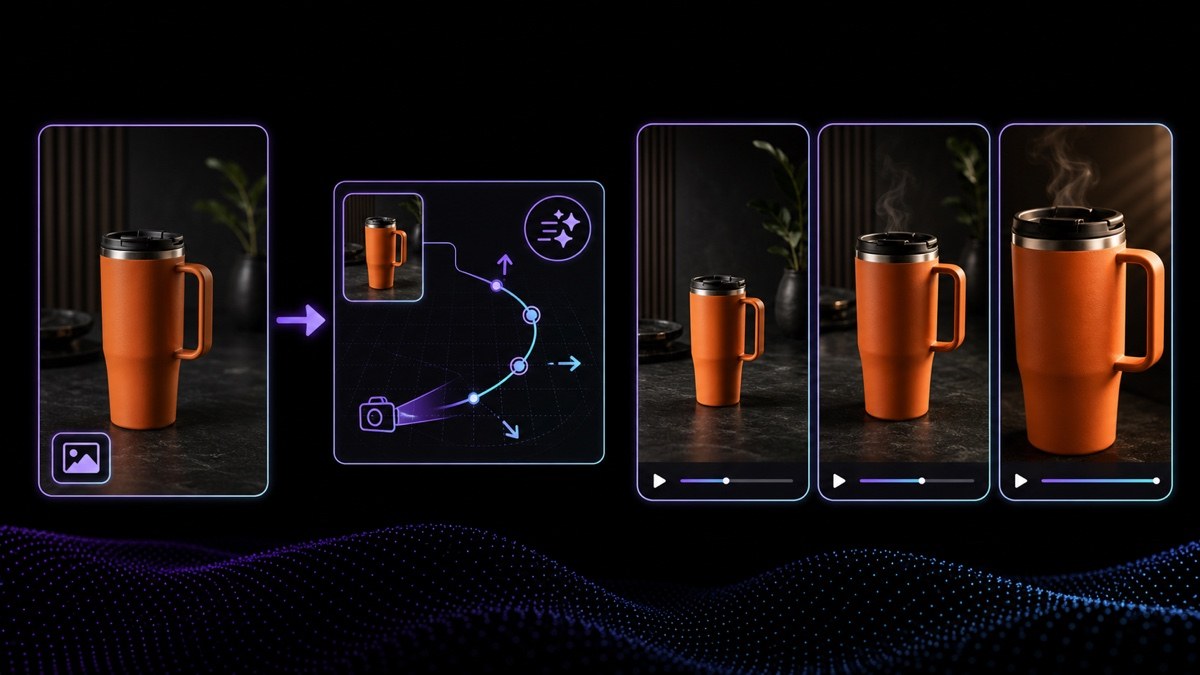
    With the persona settled, the next thing to prove is that it moves. Use Image to Video to take one authorized image of the character into a short clip with controlled motion, a shot at a time rather than a whole scene at once. Shots you can cut are what a dialogue exchange is made of, and they give you somewhere to put the reaction that lands a beat late. Keep the movement to what the moment needs, since a character who drifts around the frame reads as an effect rather than a performance. Seeing the character in motion this early also tells you whether the profile is right while it is still cheap to change it. The edit that turns those clips into a scene is yours.

    Tool Image to Video
    Image to Video
    Animate one approved portrait, product or scene image into a short video clip with controlled motion.
  3. 03

    Give the character one voice without re-acting the scene

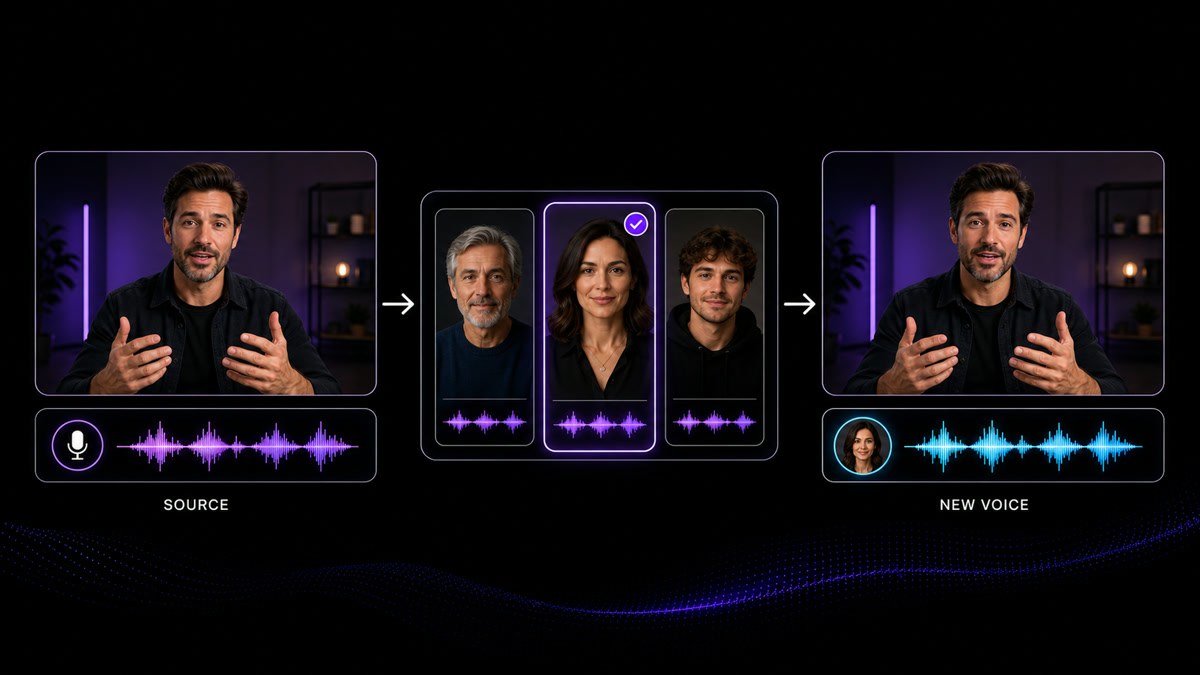
    Perform the dialogue yourself, or reuse a take you already have, then run it through Voice Changer so the delivered voice becomes the character's while the timing, emphasis and pauses of the original performance stay where the actor put them. It earns its place when a read is right in every way except the voice, and when a character has to sound the same across a season recorded by different people on different days. If the target voice is modeled on a real person, that person's written permission comes before you generate anything.

    Feature Voice Changer
    Voice Changer
    Change the delivered voice on an existing recording while keeping the original timing and performance.
  4. 04

    Build the world the character lives in

    Once the character reads right in motion, use AI Image Generator for everything around it: the supporting cast, the rooms and streets a scene needs, props, cover art and episode thumbnails. Keep the results in a scene library named by episode and beat, so the third writer on the project can find the kitchen from episode two instead of generating a new one. Continuity breaks here more often than in the character itself, so review each new image against the character rules before it enters the library, and against the last episode for the details a viewer will notice.

    Tool AI Image Generator
    AI Image Generator
    Create related cover art, characters, scenes and supporting visuals from prompts or references.
  5. 05

    Only swap a face you have permission to use

    Face Swap replaces the face in a still image with an authorized likeness and keeps the original lighting and framing, which is how a character built on a real person stays consistent across key art and scene stills. It works on stills, not on finished clips. Before the first frame, get written permission from the person naming the character, the content and the places it will run, and never present the result as real footage of them. If the permission is unclear, generate the character instead.

    Tool Face Swap
    Face Swap
    Replace the face in a still image with an authorized likeness, keeping the original lighting and framing.
  6. 06

    Take the character art up to delivery size

    Run the key art, character portraits, scene references and thumbnails through Upscale Image so they hold at the size the finished master is delivered in, including a 4K close-up where the face fills the screen. Character sheets made quickly at whatever size the first test needed are what breaks here, so check the result at full size on the parts an audience actually looks at: the eyes, the hairline, the mouth. Upscaling raises clarity and usable size; it does not add a detail the source never contained, so a face that is wrong small is wrong large, and the answer there is to generate it again from the persona.

    Tool Upscale Image
    Upscale Image
    Increase the clarity and usable size of portraits, product photos, thumbnails and reference images.

Frequently asked questions

  • Stop re-describing the character and start reusing one persona. Build the face, voice and look once as a saved avatar, generate every later scene against that persona rather than a freshly written prompt, and keep a short written list of what is not allowed to change: how old she reads, where the hair parts, what she is always wearing, how she sounds. Then check the first frame of each new scene against the last episode, because drift shows up in small details before anyone can name it.

Users Love VisionStory

Discover why content creators and marketers trust VisionStory for their AI video needs. From powerful features to an effortless user experience, our community can’t stop raving about the results they achieve with VisionStory.

See all reviews on G2